Millions play Google Block Breaker, yet most fail early due to laggy controls, fast ball speed, and tricky block patterns. Understand why progress feels nearly impossible. The Global Hues.
Google Block Breaker looks simple at first glance, yet many players get stuck in early stages and quit in frustration. The paddle feels slow, the ball flies in strange angles, and power ups seem random instead of helpful.
Let’s put the game down into clear parts so you understand what is happening on screen and what you can change to finally cross those basic levels even on tired days.
What Is Google Block Breaker? Understanding the Game’s Origin and Concept
The basic game idea
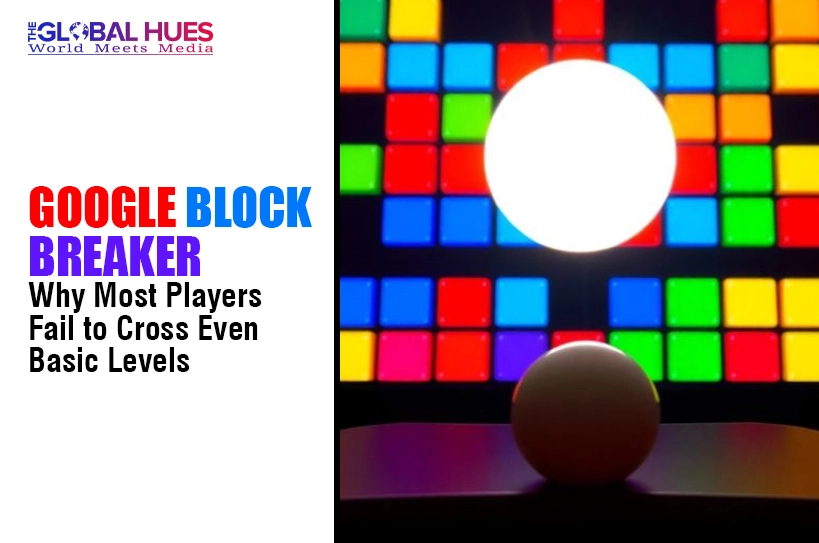
Google Block Breaker is a browser game where you move a paddle along the bottom of the screen to keep a ball bouncing into colored blocks above. The goal is simple. Keep the ball in play, break every block, and move into the next wave as speed and layouts grow harder.
Many versions use Google brand colours for the bricks and add power ups such as wider paddles, extra balls, or stronger shots that clear more space at once.
Origin of Google Block Breaker
The game style comes from classic brick breaker and Breakout style arcade titles, where one ball and one paddle carry the whole challenge. Google Block Breaker lives mainly inside the browser, often as a small Easter egg link or an instant play page hosted by game portals that use the Google name. Players tap or click to launch the ball, then swipe or press arrow keys to move.
Because it runs in the browser, you usually do not need downloads, signups, or heavy hardware. Many versions show four rows of bricks in blue, red, yellow, and green, with tougher bricks that take more hits and bonus icons that drop as the ball breaks them.
Google Block Breaker: The Complete Guide to Google’s Addictive Retro Game
Level structure and pacing
Google Block Breaker starts with simple flat rows of blocks, then slowly adds trick layouts, gaps, and tougher bricks that need more hits. Early levels teach timing and paddle control while still letting you recover when you miss.
Later stages combine narrow angles, moving bricks, or tight spaces that trap the ball. You clear one screen, then a new stack drops in with higher speed. This rising pace feels fair at first, then punishes sloppy focus. Later layouts may also add blocked zones that the ball can pass through only at shallow angles, which forces you to plan rebounds instead of chasing the ball blindly.
Power ups and special blocks
Many Google Block Breaker versions include power ups that fall as small icons when bricks break. Some make your paddle longer, others spawn extra balls, slow time, or turn the ball into a heavy shot that drills through blocks. A few icons shrink the paddle or speed the ball so you must react faster.
Learning which icons help and which ones hurt is a big part of reliable progress in higher levels. Some hosts even hide small level skips or continue options behind ads or share buttons, which tempt players to rush instead of learning movement and timing properly.
Lives, fails, and difficulty curve
You usually begin with a small set of lives. Each time the ball slips past the paddle, you lose one life and restart that layout. Early rounds give you space to make mistakes yet later waves have tight gaps where one wrong move costs you fast. Some builds let you earn extra lives by hitting score milestones or catching specific icons, but the game rarely explains that clearly, so many players lose this edge.
Scoring system and multipliers
Scores in Google Block Breaker come mainly from breaking blocks, but value can change by colour, row, or brick type. Higher rows or glowing bricks often pay more points. Some versions add combo rewards when you keep the ball active without missing for a long run. Others give bonus points for clearing a level fast. Knowing which layouts pay most helps you choose safer angles without wasting shots on low value bricks.
Platforms, access, and controls
You can play Google Block Breaker directly in a modern browser on desktop or mobile. Most versions load in one tab and use simple controls, such as mouse movement, arrow keys, or touch drag to move the paddle left and right.
There is no long signup flow in many hosts, so you can jump in during a short break and close the tab when you finish a round or two.
How to Play Google Block Breaker: Rules, Controls, and Gameplay Basics
Basic rules of the game
In Google Block Breaker you move the paddle to keep the ball bouncing. If the ball hits the bottom edge without touching the paddle, you lose a life. Your aim is to break every visible block on the screen. A level ends when you clear all bricks or you run out of lives. Points come mainly from breaking bricks and sometimes from catching helpful icons.
Keyboard, mouse, and touch controls
On desktop, most versions let you move the paddle with arrow keys or by sliding the mouse left and right, then clicking or pressing space to launch the ball. On mobile, you usually drag your finger along the bottom part of the screen to mirror the paddle movement. Sensitivity can feel different by site, so test small moves first. A few hosts also support A and D keys for smooth paddle motion.
Reading the ball and planning angles
The key skill is reading where the ball will go next instead of chasing it blindly. Watch the last surface it touched and imagine the mirror angle. Hitting the ball at the paddle center sends it straight, while striking near the edge creates sharp angles. Use those edges to reach high side bricks and to keep the ball away from flat, boring loops.
Why Google Block Breaker Became Popular Again: The Appeal of Retro Gaming
| Reason players return to Google Block Breaker | What makes it feel special today |
| Quick sessions in the browser | You can open a tab, clear a few levels, and close it again without logins, updates, or long tutorials slowing you down, even during short breaks. |
| Simple rules with rising tension | One ball, one paddle, and a wall of bricks make sense at once, yet faster speeds and tricky layouts keep your hands tense and focused. |
| Nostalgia for arcade style games | Older players recognise the brick breaker style and like seeing it reappear in a clean browser game instead of a heavy download on every device, which fits busy lives and shared machines for many. |
| Works on many devices | Because Google Block Breaker runs in a browser, it usually works on school laptops plus shared family PCs or modest phones with stable internet access. |
| Easy to share with friends | You can send a simple link or show the game on a shared screen, then take turns chasing higher scores without complex account setups or teams, even with mixed skill levels. |
Hidden Challenges in Google Block Breaker Most Players Do Not Notice
- Subtle speed ramps make the ball move slightly faster after long rallies, so players feel pressure without realising why close calls suddenly turn into misses.
- Angle changes depend on where the ball hits the paddle, so misalignments can send it into flat loops or straight down paths.
- Different brick types sometimes need extra hits, but the game does not always mark them clearly, so players keep bouncing off the same block.
- Power up icons fall fast, tempting you to chase them and step out of position, which often costs a life if the main ball drops while you move.
- Side walls can trap the ball in narrow lanes where it clears one column at a time, stretching levels and testing patience more than reactions.
- Some layouts hide bricks behind others, so you must hit perfect bank shots to reach them, a skill that newer players rarely practise in early waves.
- Background colours and bright bricks can blur together on small screens, which makes it harder to track the ball cleanly when it moves at higher speeds.
- Input lag on older devices or high latency connections can delay paddle movement just enough that one late move causes repeated losses on tight, fast stages.
Proven Strategies to Get High Scores in Google Block Breaker
Train your eye, not your hand
Focus your eyes near the ball, not on the paddle. When you track the ball path and last impact point, your hand will follow more naturally. Glance at the paddle only when you need a fine adjustment right before contact.
Use the paddle edges on purpose
Aim for the paddle edges when you want sharp angles into side bricks or tight corners. Hitting near the middle sends the ball mostly straight. Planning those edge hits early in each rally lets you shape the layout instead of reacting late.
Respect fast balls and let some icons go
As speed climbs, treat survival as the main goal. Ignore risky power up icons if chasing them means leaving the center. Staying under the main ball and keeping it in play earns more points than one greedy grab that kills a life.
Clear dangerous low rows first
Bricks close to the paddle are the threat, because missed rebounds from there drop the ball straight down. When you can choose, target lower bricks and blocks that send the ball into flat loops, then move back to high scoring rows.
Pause between levels and reset your rhythm
After each clear, pause for a breath and flex your hands. A short reset stops tilt and keeps aim steady. Players who rush into the next level often waste lives on the very first rebounds.
Common Mistakes Players Make While Playing Google Block Breaker
Discover what Google Block Breaker is, why people search for it, and whether it’s safe or legal to use. In-depth analysis by The Global Hues.
Many players treat Google Block Breaker like a random tap game instead of a skill loop. They chase every power up, slide far away from the center, and leave the bottom lane open just as the ball drops. Others stare at the paddle instead of the ball, so they move late and feel like the physics are unfair.
A third group always parks the paddle in the middle, which creates flat rebounds that bounce in the same short line until one slip ends the run. Another mistake is playing on laggy hardware or poor internet and blaming the game when inputs stutter. If your device freezes often, even perfect reads will not save you. Finally, tilt kills many runs.
After one bad miss, players mash keys, rush launches, and forget angles. They also play too long in one sitting instead of taking short breaks when focus drops. New players also skip any quick warmup level and jump straight into later stages that look exciting.
Without time to learn bounce angles and brick types, those stages feel cruel instead of fair. Treat early levels like practice, not a waste of time, and you will make fewer panicked moves in higher waves.
Google Block Breaker vs Other Browser Games: Which One Is Better?
| Game type | What it focuses on | How Google Block Breaker compares |
| Simple clicker games | Progress comes mainly by tapping fast and buying upgrades that raise numbers over time. | Google Block Breaker is more hands on, because each shot depends on your timing and angle, not just time spent online. |
| Endless runner games | You dodge obstacles and collect coins while the stage scrolls, often chasing distance records. | Block breaker stages end when you clear bricks, so each level has a finish line instead of endless survival pressure. |
| Browser puzzle titles | You solve shape or colour problems in short rounds and can think before each move. | Block breaker rarely pauses, so choices happen in real time as the ball moves, which suits players who like quick reactions. |
| Light shooter games | You move a ship or character and fire at targets while avoiding hits in simple arenas. | Block breaker gives a similar “one more try” feeling but focuses on one ball, one paddle, and clear brick patterns that slowly shift in every single stage layout design. |
Is Google Block Breaker Worth Your Time? Pros, Cons, and Real User Opinions
Reasons to give Google Block Breaker a try
- Short rounds fit breaks at work or study time.
- Simple rules mean you can teach friends in seconds.
- It runs in the browser on many devices without heavy installs.
- Skill growth is visible as you clear layouts that once felt impossible.
- You can chase one clear goal, a higher score, without complex menus or builds.
Frustrations and limits to keep in mind
- Later levels can feel punishing if your device lags or your controls stutter.
- There is little story or long term progression, so some players lose interest fast.
- Runs can end in one bad bounce, which feels unfair when you are already tired.
- Ads or pop ups on some host sites break focus at key moments.
- Sound effects can grow repetitive, especially on long sessions with many restarts.
Snapshot of real player opinions
Regular players describe Google Block Breaker as a solid “background game” that lives in one browser tab. They like using it to reset their mind between tasks. Others say it is fun for a few sessions on busy days, but they move back to deeper titles after a while. If you enjoy clean reflex tests, it is an easy yes. That balance feels fair for casual players today.
Conclusion
This guide explains Google Block Breaker, how it works, and what users should know before using it. Expert breakdown by The Global Hues.
Google Block Breaker turns a simple brick breaker idea into a sharp test of focus and timing. If you treat it like a skill game, not random taps, it can stay a fun break for a long time and help you enjoy short wins between heavier tasks on most days.
FAQs
What is Google Block Breaker?
Google Block Breaker is a browser based brick breaker game where you move a paddle to bounce a ball and clear coloured blocks for points.
How do I access Google Block Breaker?
You access Google Block Breaker by opening it in a browser tab through a game portal or Easter egg link, then pressing start to launch.
Why is Google Block Breaker so difficult?
Google Block Breaker feels difficult because ball speed rises, angles depend on paddle contact, and layouts add tight gaps that punish rushed reactions.
Is Google Block Breaker free to play?
Yes. Google Block Breaker is free to play in most browser hosts so you do not pay extra or install heavy software.
How can I get a higher score in Google Block Breaker?
To grow your Google Block Breaker score, keep the ball alive, learn edge hits for sharper angles, then focus on bricks that give bigger points.
Can Google Block Breaker be played on mobile?
Many versions of Google Block Breaker run in mobile browsers, so you can play on phones by dragging your finger to move the paddle.
Why does the ball move unpredictably in Google Block Breaker?
In Google Block Breaker, shifts in paddle contact change bounce angles while some bricks or walls add spin, so the ball path can surprise you.
Is Google Block Breaker good for improving focus?
Google Block Breaker can support focus in short bursts, because you must track the ball closely while blocking outside thoughts during each rally.
Is Google Block Breaker similar to the classic Atari Breakout?
Google Block Breaker is similar to Atari Breakout in idea, but it is a modern browser version with its own brick patterns and pace.
Must Read: