By taking small steps today with the goal of achieving significant results tomorrow, you begin building your website, unlocking its growth potential, and delivering better products and services. But as your website grows, have you kept up with the changes that come with it? Starting out cheaply is acceptable, but the key to success lies in efficiently growing your website, aiming for maximum growth and optimized user traffic without errors, slow processing, or delayed loading.
To avoid these challenges, you need a hosting solution that not only supports your website’s performance but also provides security and reliable backup options for the future. This becomes even more important when considering best dedicated server hosting for high-traffic websites. This is where a dedicated server comes into play.
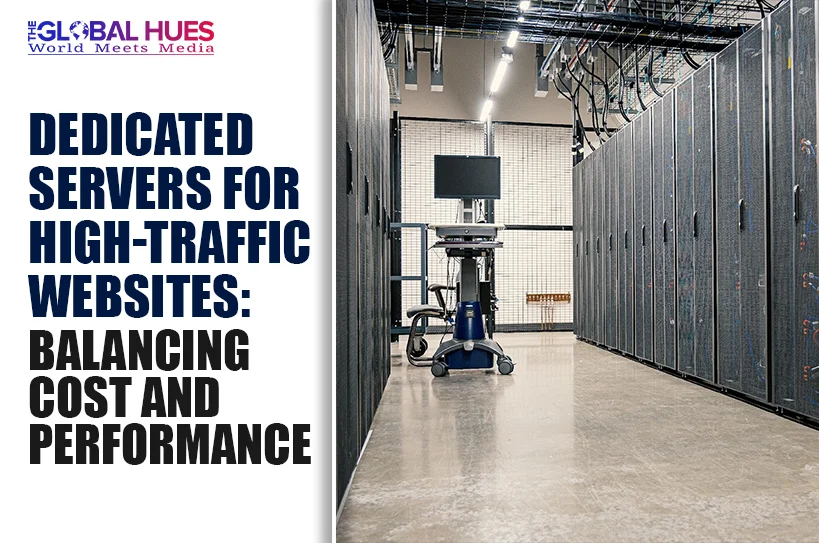
A dedicated server is simply a hosting setup where your website gets an entire server to itself. There’s no sharing of resources, no competition with other websites, and no unexpected slowdowns caused by someone else’s traffic.
It’s like having your space where everything, from speed to security, is under your control. As your website grows and traffic increases, this kind of setup helps maintain consistent performance without the limitations that come with shared environments. In practical terms, a dedicated server gives your business the stability and reliability it needs when performance is no longer optional but expected.
Why dedicate a server for a high-traffic website?
-
Dedicated resources:
The most effective benefit of the cheapest dedicated server hosting is that your website receives full access to CPU, RAM, and bandwidth, unlike shared hosting, because all server resources are exclusively allocated to your website. This arrangement prevents unexpected slowdowns from other websites, ensuring consistent performance and maintaining speed even as the number of visitors increases.
-
Constant performance:
When you take steps to grow your website through a campaign, festival sales, or unexpected events to increase user traffic, this scenario increases the chance of your website collapsing; due to the higher traffic, your website may slow down and have longer loading times, errors in page loading, etc. To avoid such issues, a dedicated server helps your website to not be affected by external factors; the server can handle higher loads more efficiently, which means that your website continues to perform smoothly even in high traffic.
-
Scalability support:
A dedicated server allows you to handle growth more effectively and provides a solid foundation for managing high traffic by giving you full access to more resources, such as CPU cores, RAM, and bandwidth. It reduces crashes during peak demand, allowing your website to load faster, and it not only improves the user experience but also lowers the bounce rate. It enables you to upgrade your plan, such as increasing memory storage or processing power, as needed.
-
Enhanced Security:
Unlike shared hosting, where multiple websites operate on the same server and increase the risk of security breaches, malware spreads, or unauthorised access to one account that may affect others, a dedicated server allows your website to run completely in an isolated environment, reducing the risk of external threats caused by other websites. You get security configurations like malware scanning, firewall features, monitoring tools, etc.
- Customisation and Backup Flexibility:
With a dedicated server, you have complete administrative access to change or update the server environment according to your requirements, which includes not only the operating system but also the installation of specific software and server settings based on your workload. It provides you flexibility to implement your own backup facilities with automated backups and off-site storage, ensuring your data is secure and easily restored when needed.
Which business can go for a dedicated server?
Companies will need dedicated servers based on their operational priorities. Those dealing with e-commerce, media, and education technology platforms should handle high traffic and spikes effectively. Security and compliance will play a giant part in industries such as healthcare, financial technology, and government services where there is a need to isolate data to ensure its safety. Other types of firms include gaming platforms, software as a service, and artificial intelligence. intelligence.
Artificial intelligence systems require processing speed and low latency, which makes them ideal candidates for high-performance dedicated server solutions.
Balancing Cost and Performance: A Practical Approach
1. Get the right hardware, not the fastest one.
One of the first mistakes people make when optimizing their servers is to supply too much hardware upfront. Most websites require more computing power than memory because they are CPU-bound even when experiencing moderate traffic levels. Instead, provision your server modestly and upgrade only the bottlenecked resources.
2. Optimise infrastructure with a CDN first
Instead of upgrading your infrastructure, you could try leveraging the power of CDNs to serve your content faster and from closer locations. This will allow your server to handle more traffic with the same hardware.
3. Make use of caching
Caching can have a significant impact on performance, and you can cache almost everything to speed up your website. From queries and sessions stored in Redis to page caching done via Nginx or Varnish to opcode caching provided by OPcache, the impact can be immense.
4. Strategic scaling: vertical versus horizontal
Scaling is not only about upgrading; it is also about when to upgrade. If the server regularly operates at maximum capacity (over 70%), and upgrading becomes increasingly expensive, then it is time to reconsider. At this point, separating the database and adding more application servers via load balancing becomes more effective.
5. Considering Managed vs. Unmanaged Hosting According to Capability
Choosing between managed vs. unmanaged services should be done according to your team’s level of technical capability. Even if unmanaged VPS hosting services appear more budget-friendly at first glance, they will still need technical support to set up the hardware, monitor performance, manage security, and resolve possible issues.
If your organization lacks technical operations staff, a simple incident can mean considerable downtime and financial losses. Often, people neglect these aspects during planning.
In practice, it might be much easier to go with managed hosting instead. This will help reduce any potential risks connected to operating the server, such as security vulnerabilities and downtime, and allow you to concentrate on business processes.
Conclusion:
Dedicated servers play a vital role in hosting high-traffic websites, but their true value lies in their application. The point is not in finding the best solution available; it’s all about designing an infrastructure based on your requirements.
From selecting the right time for upgrades and resource optimization via CDN and caching to making wise decisions in terms of scaling and management, everything contributes to both performance and savings.
Finally, it turns out that the right balance between cost and performance can be achieved with a relatively simple approach, which includes proper optimization and scaling.
(DISCLAIMER: The information in this article does not necessarily reflect the views of The Global Hues. We make no representation or warranty of any kind, express or implied, regarding the accuracy, adequacy, validity, reliability, availability or completeness of any information in this article.)
Must Read:
- Your Custom Home – Careful Considerations
- Innovative Interior Design Trends To Refresh Your Home
- How to Choose Living Room Furniture That Stands Up to Active Lifestyles