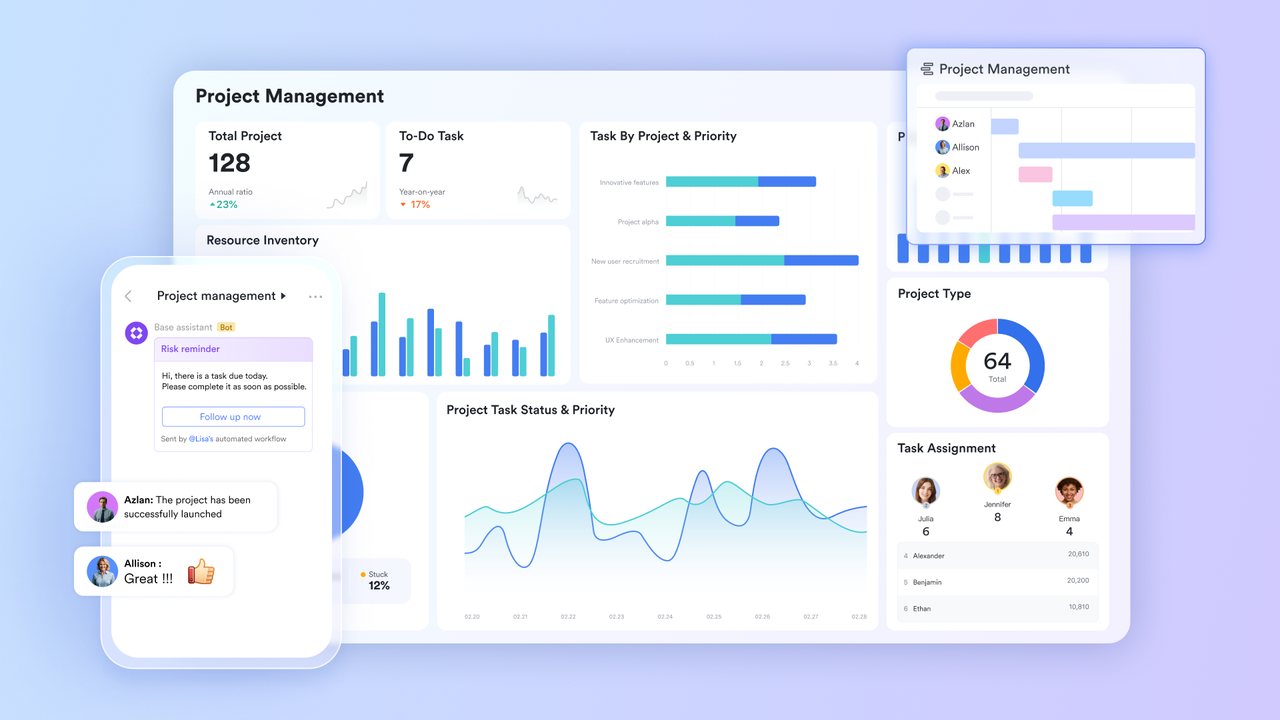
Cross-functional teams are built on a sound organizational premise: problems that span multiple disciplines are best solved by people from those disciplines working together. The premise is correct and the execution is consistently painful, because the tools that each discipline uses to do their work were not designed for the collaboration that cross-functional work demands. The product manager is in Jira. The designer is in Figma. The engineer is in GitHub. The marketer is in their own project tracker. When the four of them need to coordinate on a shared deliverable, every interaction requires at least one person to leave their native context, translate the information into a format the other can consume, and then return to what they were doing having paid the full cognitive cost of the transition. Cross-functional coordination is expensive not because the people are difficult but because the tools are islands. The organizations that have made cross-functional work genuinely efficient have solved it with project management tools that give every discipline a shared operational layer without requiring any of them to abandon the depth of their own function.
One conversation that carries full context with Lark Messenger
Cross-functional communication fails when context does not travel with the message. The engineer who posts a technical constraint in a chat group where only engineers see it has communicated the constraint without informing the product manager whose roadmap depends on it. The designer who raises a visual concern in their own team’s channel has flagged the issue without it reaching the marketer whose campaign timeline depends on the outcome. The coordination that should happen automatically requires a dedicated human effort to bridge the gap, and that effort is often the first thing that gets dropped when everyone is busy.
Lark Messenger
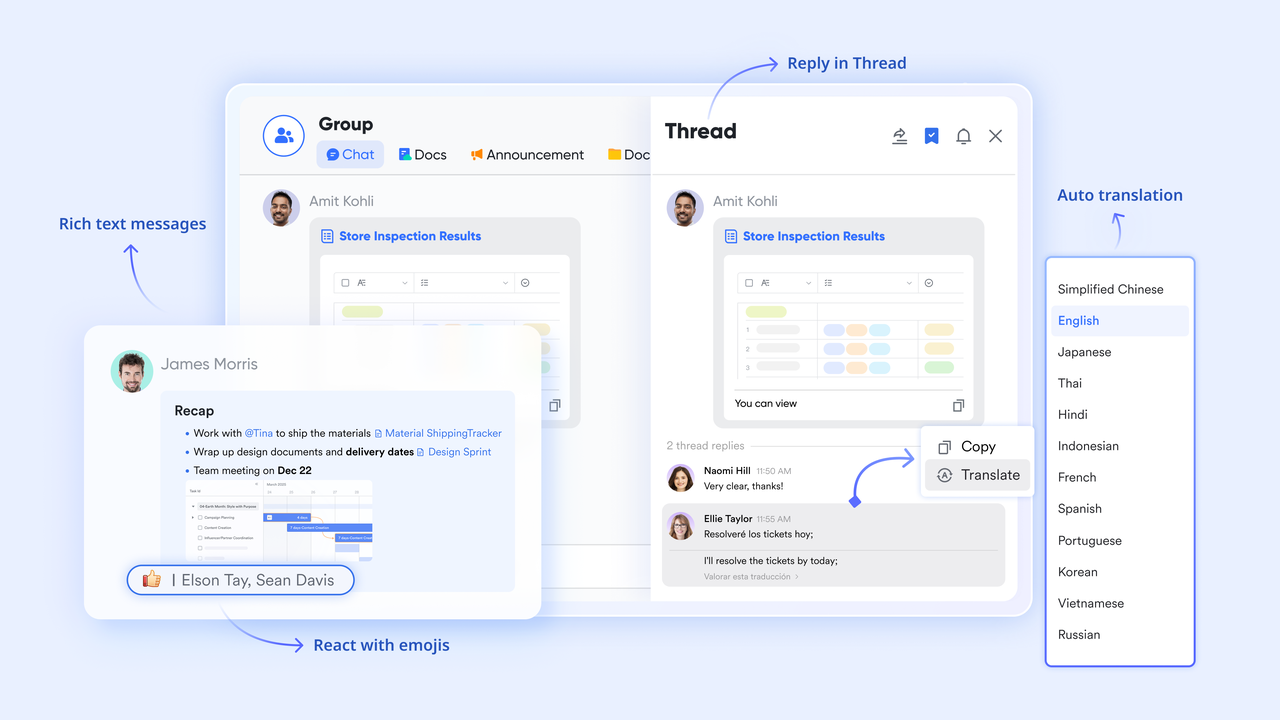
- “Chat Tabs & Threads” for cross-functional project organization. Lark Messenger allows cross-functional teams to organize every project group with pinned reference materials and named threads for each workstream. The product brief, the design specification, and the engineering constraint all live in the same group in separate tabs, accessible to every discipline simultaneously.
- “Real-time Auto Translation” for globally distributed cross-functional teams. When cross-functional collaboration spans multiple language backgrounds, every message is automatically translated for each recipient, so the technical constraint raised by an engineer in Berlin reaches the marketer in Singapore in the language they work in without a translation step that delays the communication.
The result: Cross-functional communication happens in one place where every discipline has equal visibility. The coordination overhead that used to require dedicated cross-functional meetings just to share information that should have been visible already disappears.
A shared brief that every discipline trusts with Lark Docs
The cross-functional brief is where most cross-functional projects break down before they have properly started. The product manager writes the brief. The designer interprets it differently from the engineer. The marketer receives a summary rather than the original. By the time all four disciplines are working, they are working from four slightly different understandings of the same deliverable, and the misalignment surfaces only when the outputs are assembled and do not fit together.
Lark Docs
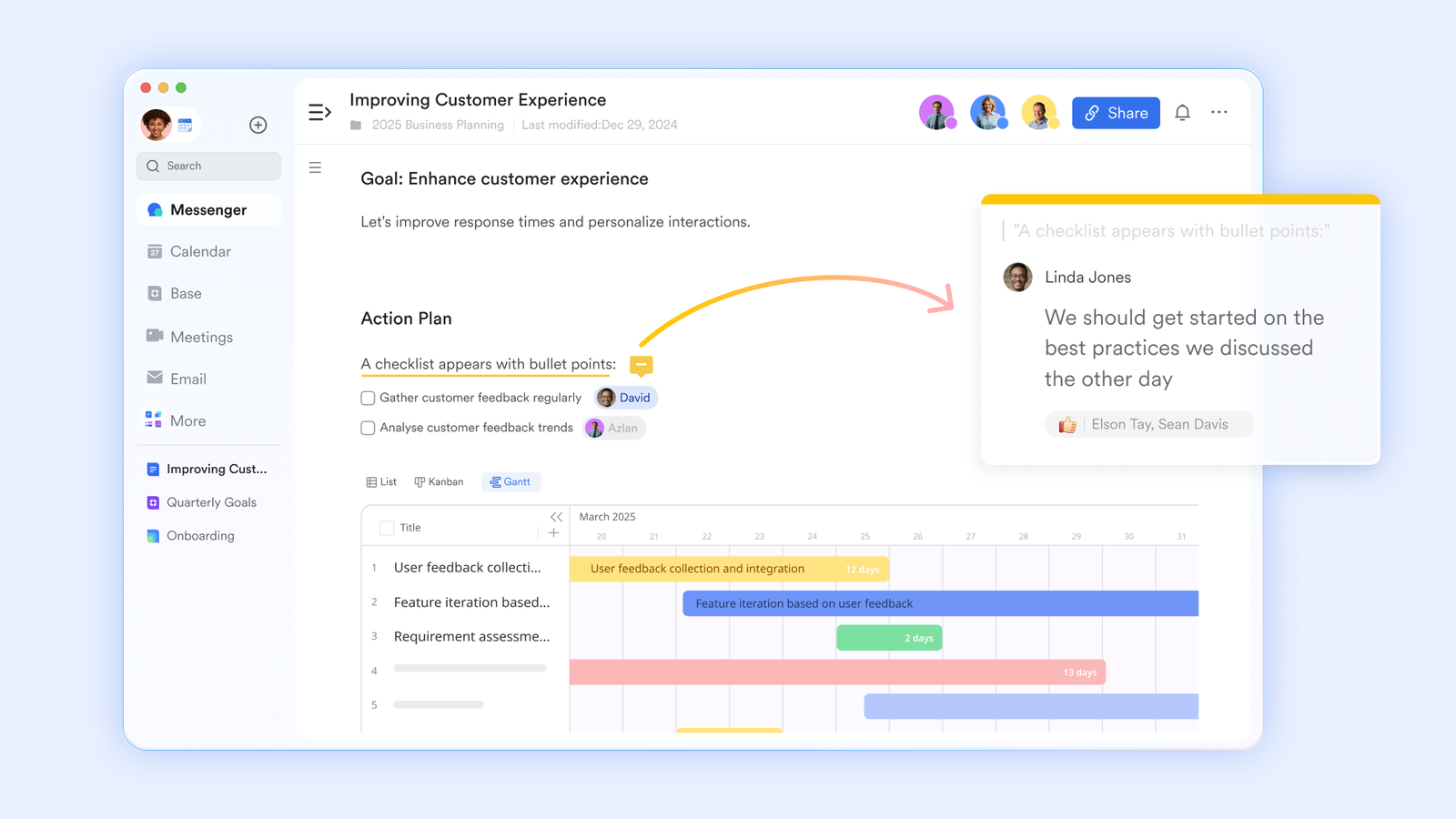
- Real-time co-editing by up to 200 contributors. The cross-functional brief is built simultaneously by every contributing discipline rather than written by one person and reviewed by the others. The product manager’s requirements, the designer’s constraints, the engineer’s technical parameters, and the marketer’s channel considerations are all in the same document at the same time, visible to everyone as they are written.
- “Comment” threads for discipline-specific clarification. When the engineer reads the product requirement and has a technical question, they leave a comment on the specific requirement rather than composing a separate message. The product manager sees the comment in context and responds in the same thread, so the clarification is attached to the requirement it concerns rather than living in a separate conversation that only the two parties can see.
The result: Every discipline enters the project from the same shared document rather than from their own interpretation of a brief that was never built for shared use. The misalignment that usually surfaces at the integration stage is caught at the definition stage.
Cross-functional project status without a coordination meeting with Lark Base
Cross-functional projects generate a specific category of management overhead: the cross-functional status meeting, which exists primarily because no single team member has visibility into the current state of every workstream. The product manager does not know if the design is blocked. The engineer does not know if the marketing brief has been approved. The marketer does not know if the technical constraint that affects their launch timeline has been resolved. The meeting that should be a decision session is a briefing session that could have been replaced by a shared dashboard.
Lark Base
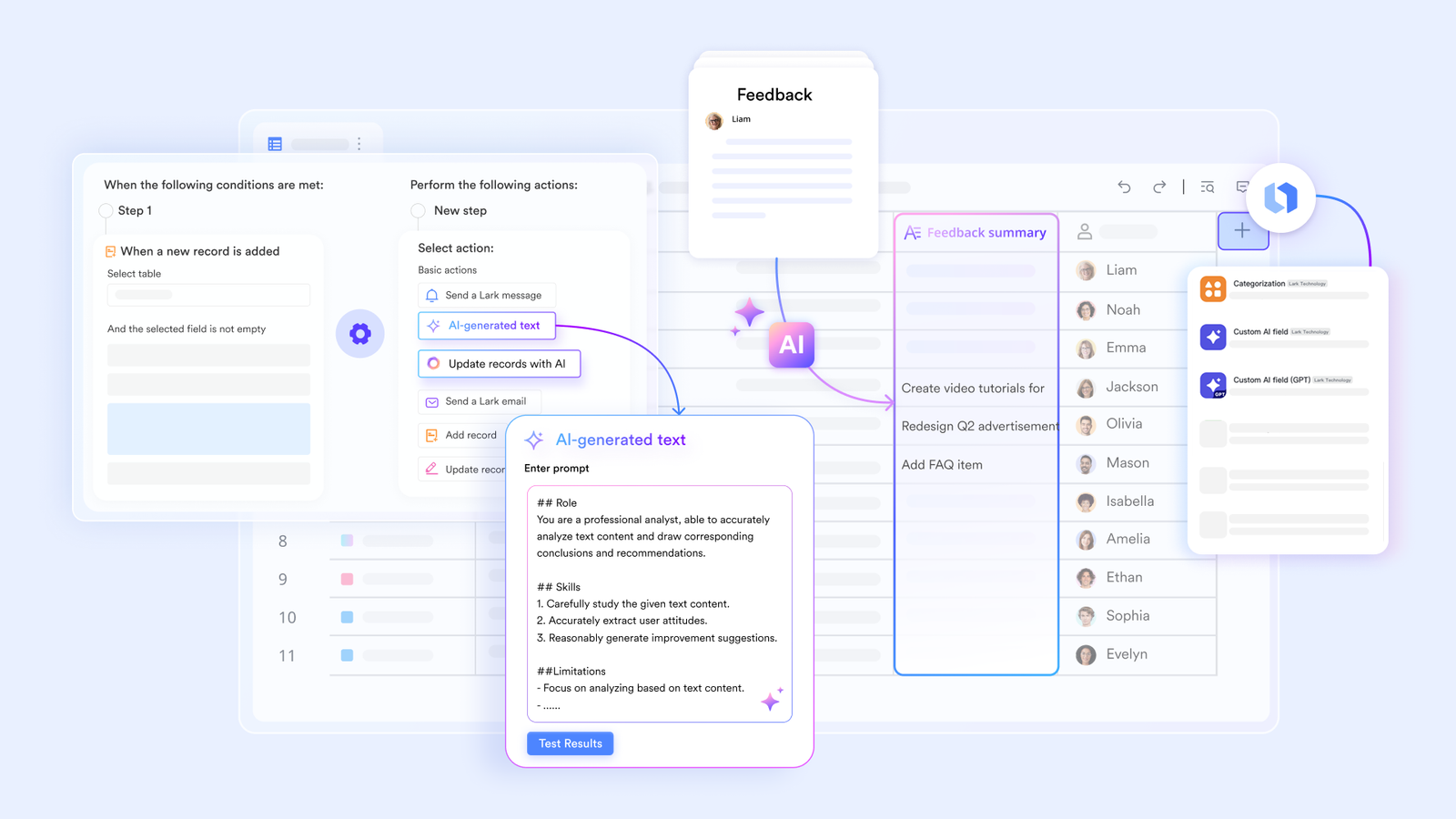
- Shared views for multi-discipline project visibility. Lark Base allows every workstream in a cross-functional project to live in the same database with views configured for each discipline’s perspective. The designer’s task list, the engineer’s sprint board, and the marketer’s campaign checklist are all filtered views of the same underlying records, so the cross-functional project manager can see the full picture without switching between separate tracking systems.
- Automated status notifications across disciplines. When the design workstream moves from “In Review” to “Approved,” the notification goes automatically to the engineering team whose work was waiting on that approval, and to the marketing team whose timeline depends on the design being finalized. The status change communicates itself without anyone having to relay it.
The result: The cross-functional status meeting becomes unnecessary because the dashboard already shows the current state of every workstream. The coordination time that was being consumed by the meeting comes back to the actual cross-functional work.
Ceremony timing that works for everyone with Lark Calendar
Cross-functional teams working across different departments, time zones, and working patterns face a scheduling challenge that compounds with every dimension of difference. Finding a time that works for the product manager, the designer, the engineer, and the marketer, each of whom has their own departmental meeting load, is a coordination task that can consume more time than the meeting it is trying to arrange.
Lark Calendar
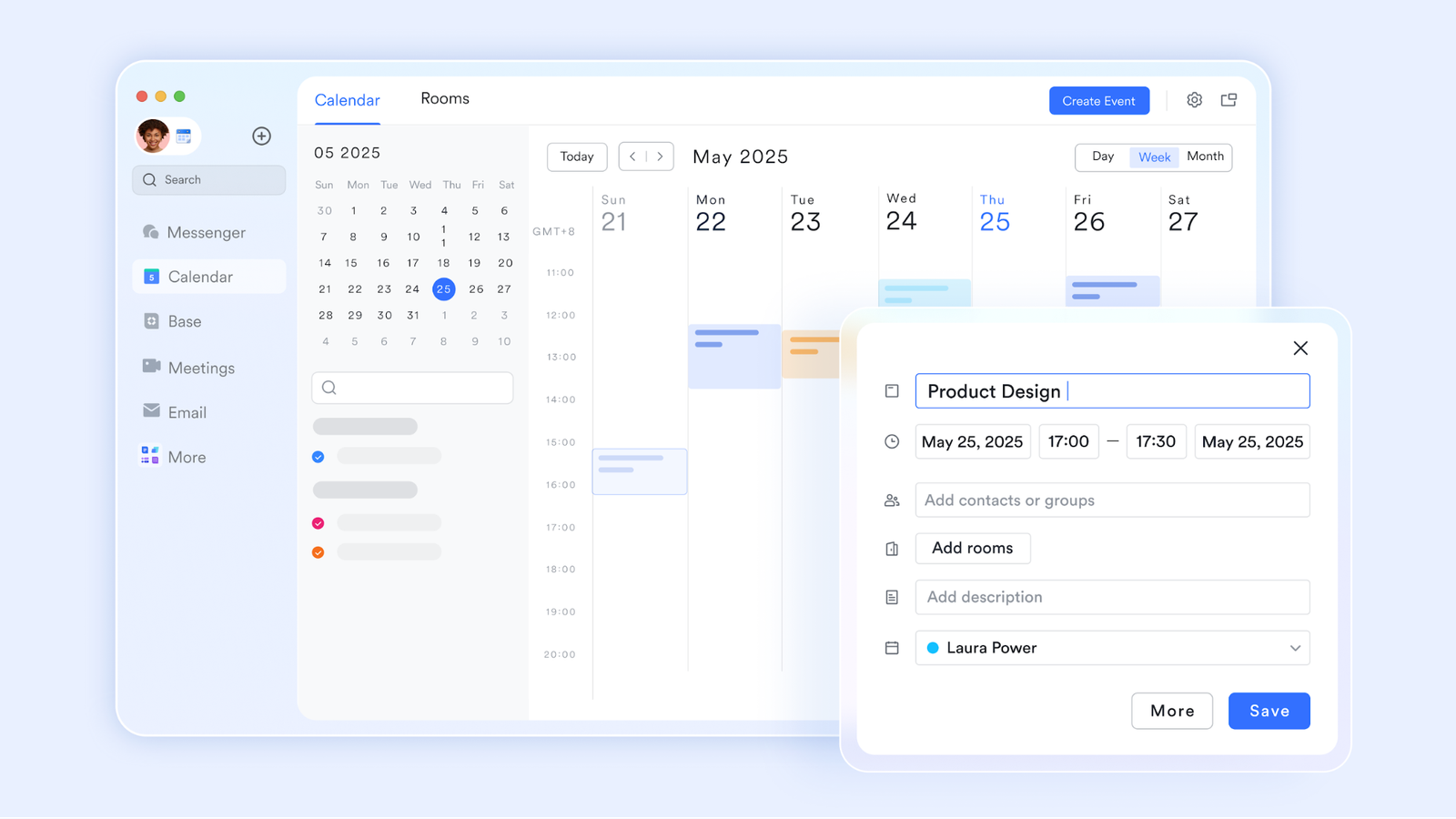
- “Schedule in Chat” for cross-functional coordination. Lark allows team members to schedule meetings directly within ongoing conversations, making it easier to move from discussion to action without switching between multiple tools. Teams can check availability during the scheduling process and confirm a meeting within the same workflow, reducing the back-and-forth that often slows cross-functional coordination.
- “Meeting Groups” for pre-meeting context across disciplines. Lark does not automatically create a group chat for every calendar event, but organizers can manually create a meeting group from the event card. This group includes all participants and provides a space to share agendas, updates, and relevant materials in advance, helping teams come prepared without requiring separate communication channels.
The result: Cross-functional meetings happen when they are needed rather than on a recurring schedule that does not adjust to the project’s actual rhythm. Every session begins from a shared, prepared baseline rather than spending its first third catching up the disciplines that have been working in isolation since the last meeting.
Cross-functional knowledge that survives team changes with Lark Wiki
Cross-functional projects accumulate significant institutional knowledge over their lifetime: the decision that was made and the reasoning behind it, the constraint that shaped the approach, the stakeholder feedback that redirected the work halfway through. When that knowledge lives in the memories of individual team members and the channels of separate tools, it disappears the moment any team member moves on, and the next cross-functional team starts the same project from scratch.
Lark Wiki
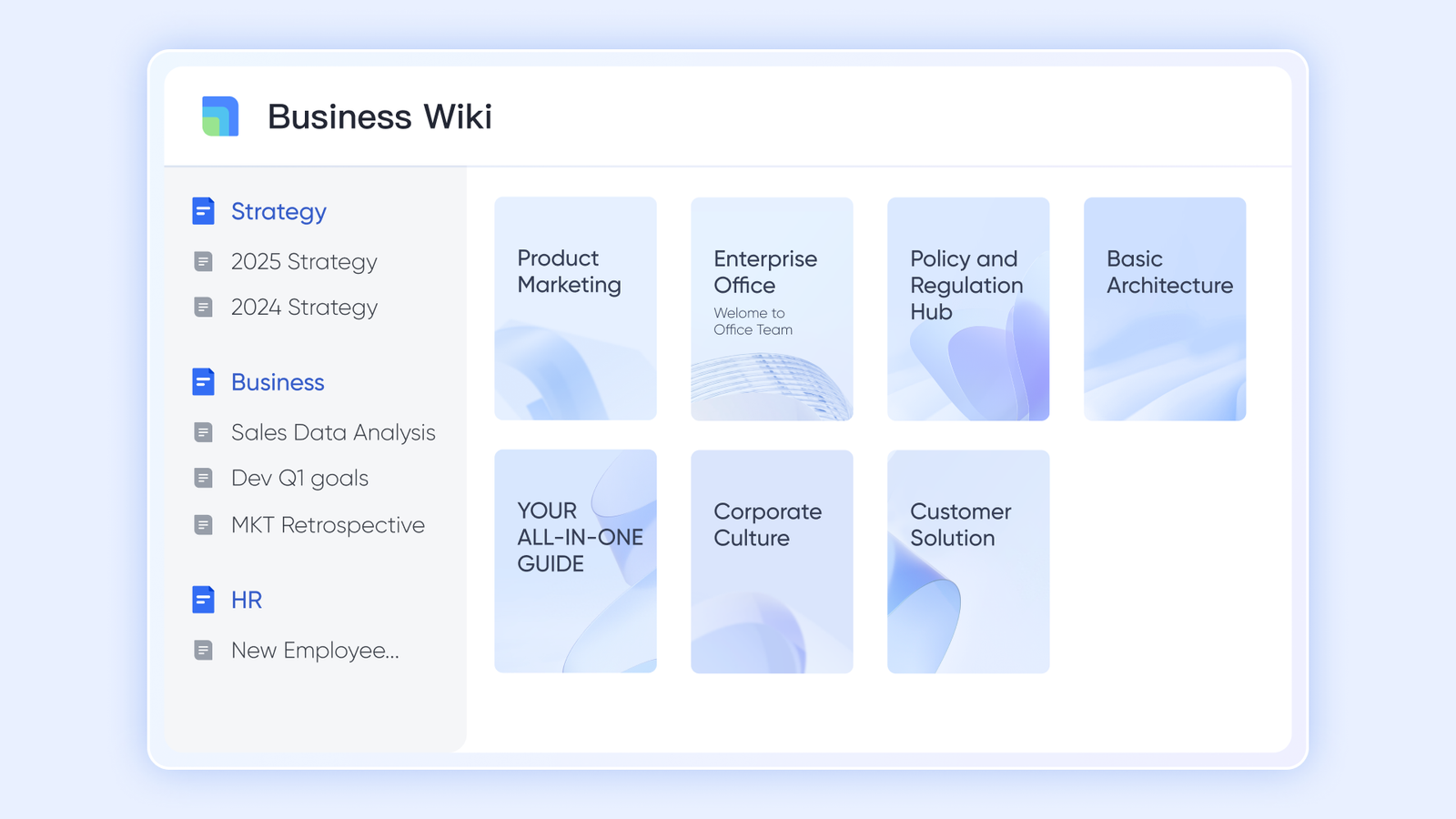
- Structured project spaces for cross-functional knowledge. Lark Wiki allows cross-functional teams to build a shared knowledge space where every major decision, constraint, and stakeholder input is documented and organized by the phase and workstream it relates to. The designer who joins a project mid-flight finds the full design rationale in a structured reference rather than asking the original designer to reconstruct it.
- “Advanced Search” for rapid cross-functional context retrieval. Any team member who needs the background on a specific decision or constraint can search the full project Wiki with a keyword and find the relevant documentation in seconds, without interrupting a colleague who has their own workstream to focus on.
The result: Cross-functional knowledge becomes an organizational asset rather than an individual memory. The team that picks up a cross-functional project six months after the previous team finished it finds a complete, searchable record of everything that shaped the current state of the work.
Bonus: Why cross-functional tools often make coordination harder
The standard approach to cross-functional coordination is to add a coordination layer on top of the existing discipline-specific tools: a shared Notion workspace for the brief, a Slack channel for the communication, and a Jira board embedded in a Confluence page for the project status. Each layer addresses one dimension of the problem while adding one more tool to the stack that every participant has to monitor and update.
Looking at Google Workspace pricing as a base and adding Slack, Asana, and Confluence for cross-functional coordination creates a system where the brief, the status, the communication, and the knowledge all live in separate places. The context switching cost that the cross-functional team was trying to eliminate becomes the tool-switching overhead that the coordination layer generates. Lark puts all five layers in one environment, so the cross-functional team has one place to look rather than five.
Conclusion
Cross-functional teams work when every discipline has genuine visibility into the work of every other discipline without having to leave their own working environment to get it. A connected set of productivity tools that gives every discipline a shared operational layer for communication, documentation, project tracking, scheduling, and knowledge creates the conditions for genuinely effective cross-functional collaboration rather than the expensive coordination overhead that cross-functional work typically generates.
(DISCLAIMER: The information in this article does not necessarily reflect the views of The Global Hues. We make no representation or warranty of any kind, express or implied, regarding the accuracy, adequacy, validity, reliability, availability or completeness of any information in this article.)
Must Read:
- Your Custom Home – Careful Considerations
- Innovative Interior Design Trends To Refresh Your Home
- How to Choose Living Room Furniture That Stands Up to Active Lifestyles