Imagination lies at the core of fantasy art: floating kingdoms, mystical places full of light, fantastic creatures, and heroes with destiny. What used to take years of practice by an artist is now achievable within minutes using technology such as Dreamina AI art generator.
But what makes this technology even more exciting is the fact that it does not substitute your imagination and creativity, but rather complements it. Using the right prompt and guidance, you will create a fantastic world in just a few phrases.
Why fantasy art fits into AI perfectly
Fantasy art is known for its ability to use imagination in abundance, and this is exactly what AI excels at. The more vivid the description provided—glowing crystals in a cave or a warrior under the storming sky—the more intricate the resulting picture will be.
What makes fantasy great for AI creation:
-
Doesn’t require realism
-
Gives you unlimited freedom of creativity
-
Allows mixing various elements (magic, nature, architecture)
-
Enables storytelling through a single image
This implies that your concepts don’t have to make sense as long as they express your vision.
Worldbuilding, not just concept design
Start considering worlds instead of trying to imagine single images in your mind. Think about who resides in such a world. Consider its surroundings and overall atmosphere (peaceful, mystical, chaotic).
A great fantasy visual should contain the following elements:
-
Subject (central figure, character)
-
Environment (forest, castle, sky kingdom)
-
Lighting (glow, foggy atmosphere, light and shadow)
-
Some form of narrative
All these factors combined create a truly immersive image.
Making basic prompts come to life
The key to amazing fantasy art is the way you describe your idea. Even a basic prompt can turn into a stunning artwork with appropriate word choice.
Take, for example, this prompt:
“A knight in a forest“
Compare it to this:
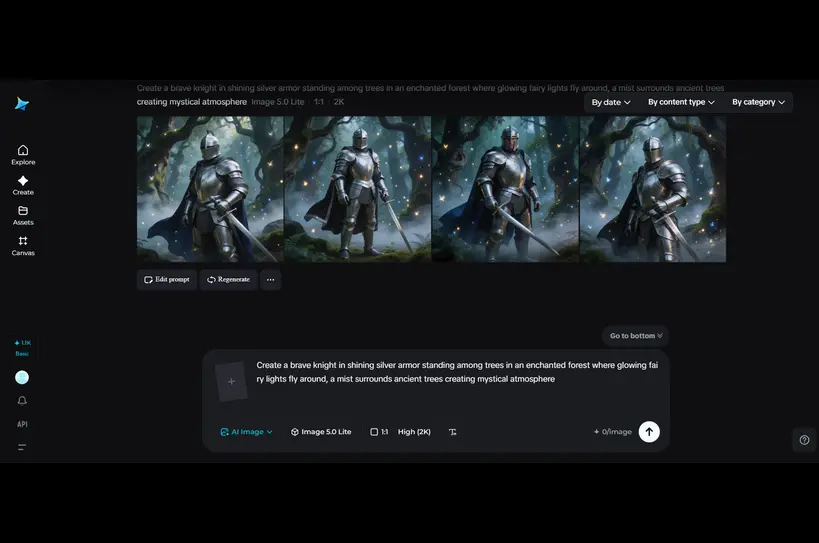
“A brave knight in shining silver armor standing among trees in an enchanted forest where glowing fairy lights fly around, a mist surrounds ancient trees, creating a mystical atmosphere.”
See the difference?
Experimenting with character ideas
It’s not always easy to come up with original characters. Fortunately, you can use such methods as using random anime character generator for some fresh poses, clothing, personalities, etc., which you can adapt to fantasy themes.
The example poses may be changed to:
-
A spell casting mage character;
-
A warrior preparing for a battle;
-
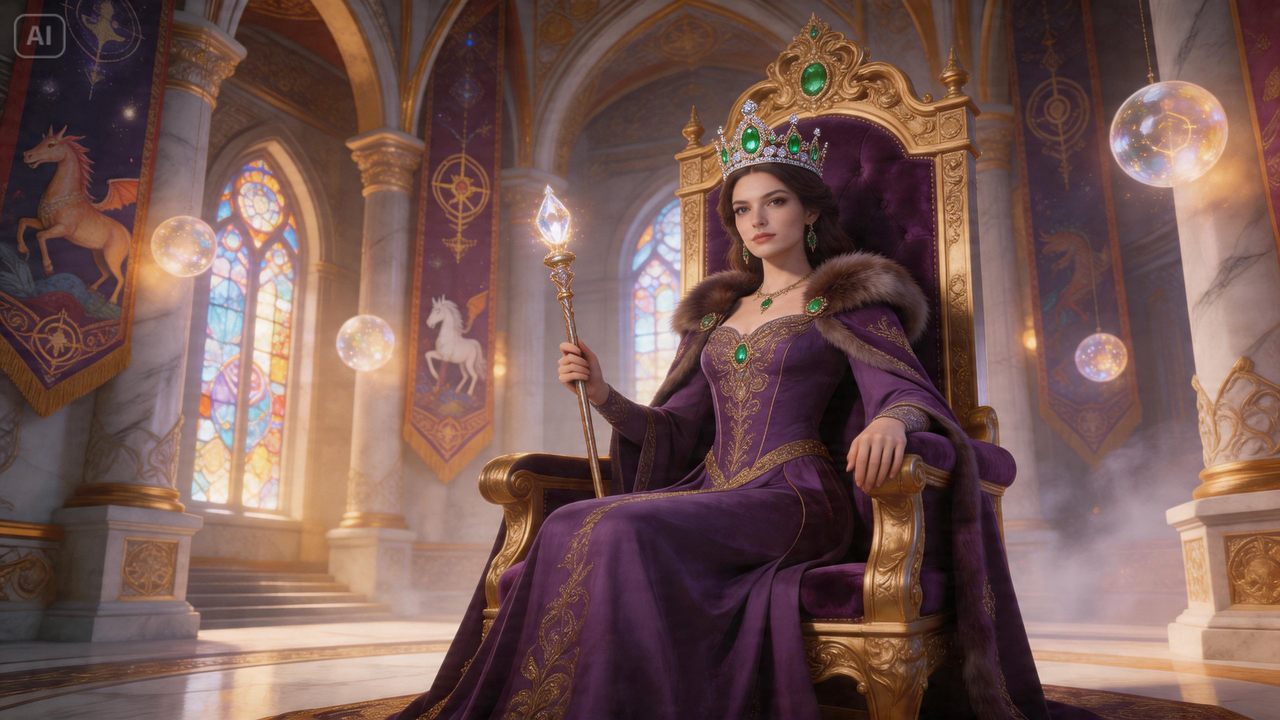
A king or queen from a magic palace.
Such an approach will help make your fantasy character design more interesting.
Transform fantasy scenes into realistic-looking videos
Instead of being limited to static fantasy art, it’s possible to turn any fantasy idea into a video by describing certain scenes using text prompts or references within Dreamina AI video generator without applying animation-related tools.
For instance, the following fantasy scenes may be created as videos:
-
A magical castle hovering above the clouds;
-
A magic forest shining from all sides;
-
A hero approaching a portal entrance.
AI is capable of producing all of those images as cohesive video clips, adding a bit of cinematic flair to your fantasy world.
It can be used in a variety of scenarios such as:
-
Promotional material for stories or films (previews or concept videos)
-
Creativity for use on social media
-
Experiments with visual storytelling
-
Showcase for fantasy artists
The idea here is to keep style and thematic continuity in order to make your scenes fit into the world you have created.
Design your unique fantasy world with Dreamina
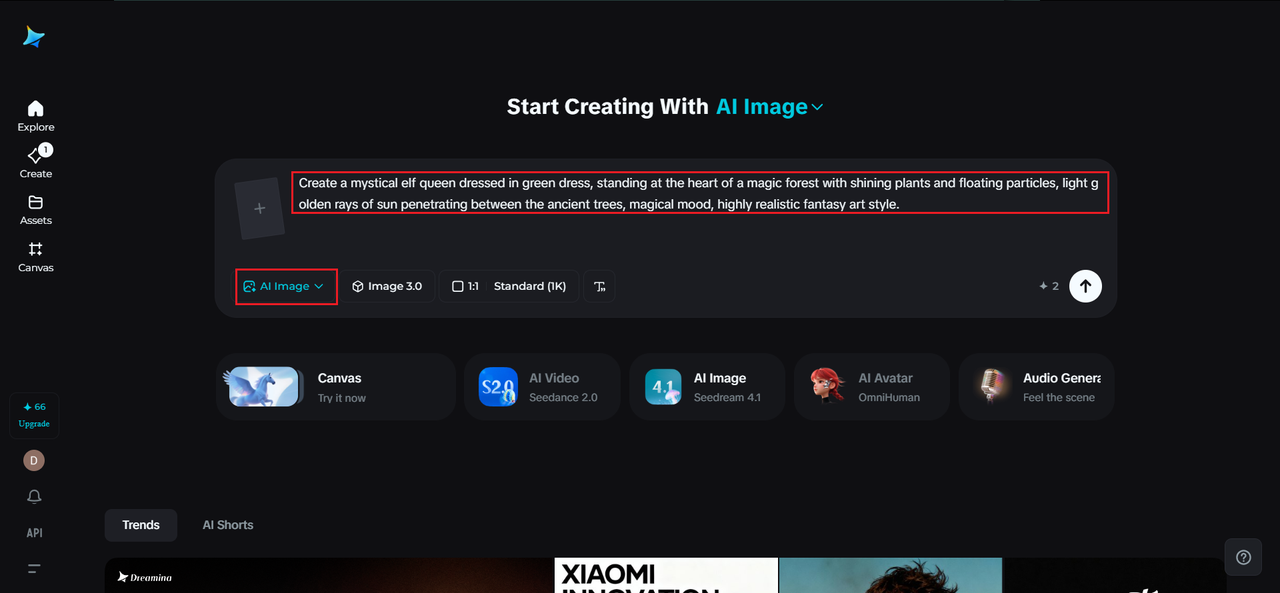
Step 1: Create a text prompt
Visit Dreamina and start by writing a comprehensive text prompt about a human in your fantasy world. Describe their clothes, surroundings, magical elements and so on.
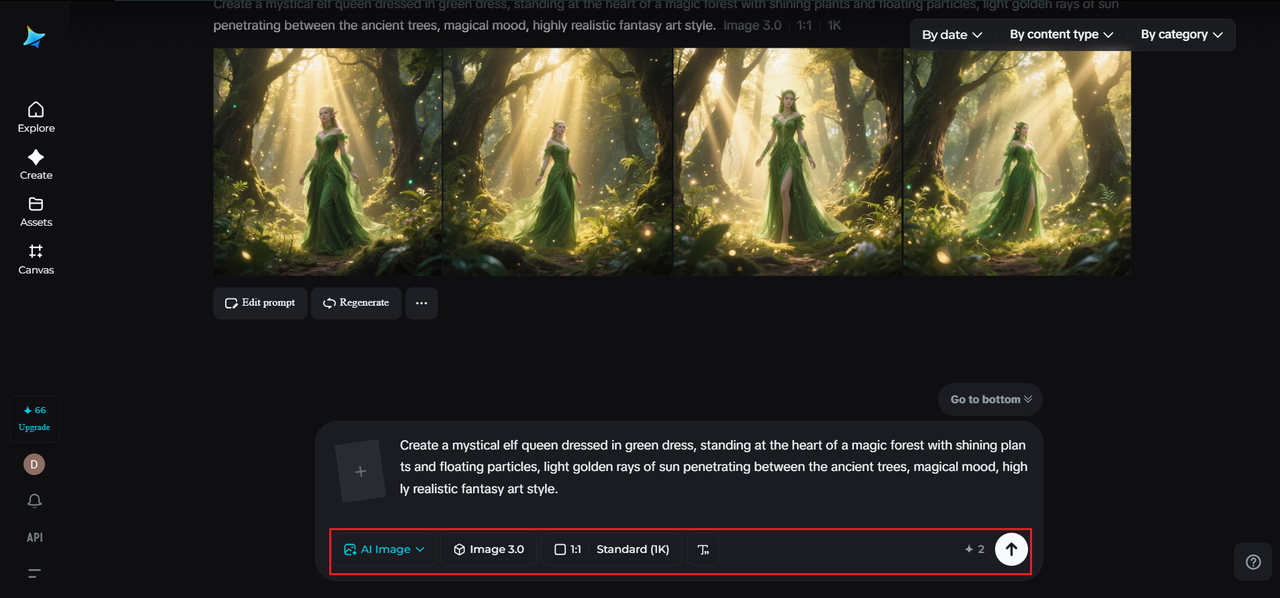
For instance: Create a mystical elf queen dressed in green dress, standing at the heart of a magic forest with shining plants and floating particles, light golden rays of sun penetrating between the ancient trees, magical mood, highly realistic fantasy art style.
Step 2: Tune the parameters and start generation
Select your favorite model and pick the aspect ratio according to your picture idea: portrait for characters, landscape for environments. Pick your required size and resolution, whether it is a 1K for previews or a high quality 2K version. When you are done with tuning, simply click on Dreamina’s icon to generate your fantasy artwork.
Step 3: Customization and downloading
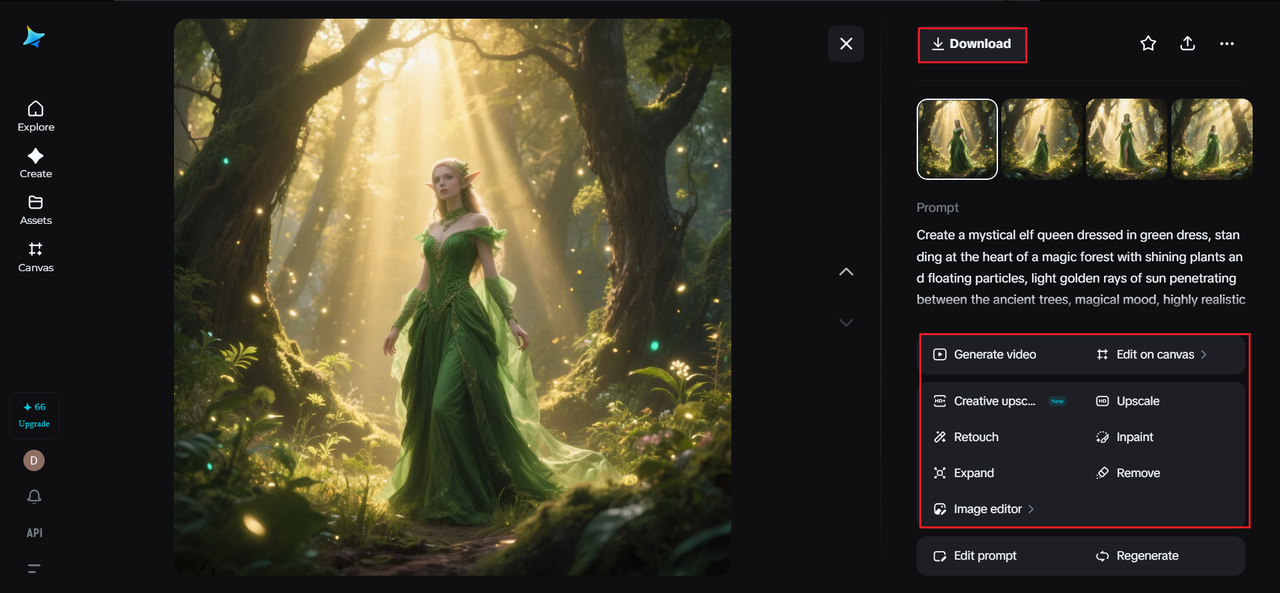
Once you have your initial picture generated, it is time to work on it with the help of Dreamina’s customization tools. With inpaint you can edit certain areas, with expand add some extra layers, remove whatever is unnecessary, and with retouch modify lighting or any textures. After all is said and done, click on “Download” and get your final artwork.
Make your world come alive with the right details
What makes your image truly fantastical is how it is made up. Small details may go a long way in elevating your artwork.
Some of those details might include:
-
Magic particle and aura effects
-
Unique stone or fabric textures
-
Background layering
-
Special light sources
These will help bring your world to life and give it credibility.
Maintain consistency in your fantasy style
Consistency brings together scattered images and builds a unified world. When working on several images, try to keep the same color scheme, lighting, and themes.
Examples include:
-
Using the same color schemes for multiple pictures
-
Consistent character design
-
Maintaining an equivalent level of detail and texture
This makes your images feel like part of one bigger picture.
Striking a balance between imagination and clarity
Although imagination is essential for any fantasy work, clarity should not be ignored. Complicated prompts can lead to confusion.
Your prompts should be:
-
Descriptive yet concise
-
Clearly stating the subject and location
-
Maintaining a balance between detail and simplicity
AI works best when it knows what you want without being overwhelmed.
Conclusion: Easily create enchanting realms with Dreamina
In the world of fantasy art, imagination is all that stands in the way. With Dreamina, even the most basic of concepts can be made into intricate worlds full of wonders.
From creating prompts to creating top-notch imagery to even diving into video production, it has never been easier or more fun. No matter if you want to create characters or landscapes or whole fantasy worlds, you have the power to do so with Dreamina.
Thus, you should not be afraid to try your hand at it. Your next magical world awaits you!
(DISCLAIMER: The information in this article does not necessarily reflect the views of The Global Hues. We make no representation or warranty of any kind, express or implied, regarding the accuracy, adequacy, validity, reliability, availability or completeness of any information in this article.)
Must Read: