
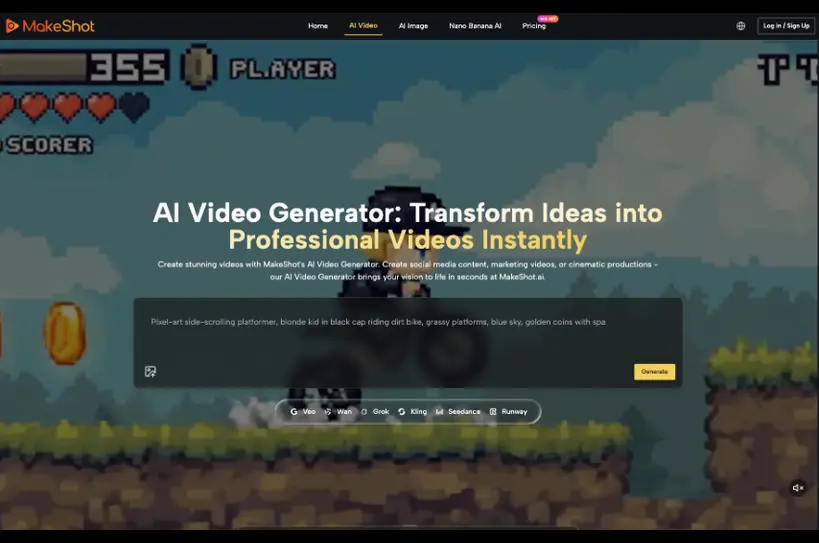
A low monthly price can hide an expensive creative habit. Teams generate many drafts, review them loosely, and count the full folder as output. The real cost appears later when most clips fail crops, brand checks, or publication review. An AI Video Generator plan should be compared by cost per accepted clip, not by the cheapest number displayed on the pricing page.
MakeShot.ai lists annual Starter, Pro, and Unlimited plans with different credits, estimated video counts, and concurrent task limits. Those numbers describe capacity. A buyer still needs an acceptance ledger to learn how much of that capacity turns into material the team can actually publish.
Separate Display Price From Usable Production Capacity
The current annual Starter plan is shown as $8.3 per month, billed as $100 per year. It includes 10,000 credits, an estimate of 125 videos, and two concurrent tasks. Pro is shown as $25 per month, billed annually at $300, with 32,000 credits, an estimate of 533 videos, and four concurrent tasks.
Unlimited is shown as $75 per month, billed annually at $900, with eight concurrent tasks. Its unlimited access applies to listed basic and enhanced models, while Seedance 2.0 is excluded and uses credits per second. The distinction matters for a team whose accepted work depends on that route.
MakeShot.ai also lists private generation, no watermark, a commercial license, and unlimited storage on paid tiers. Buyers should treat these as plan capabilities, then compare them with internal requirements for rights review, retention, client confidentiality, and approval. A plan label does not replace company policy.
Treat Published Video Counts as Capacity Estimates
The estimates do not promise that every generation will fit a campaign. A usable result depends on the brief, source quality, selected route, protected details, and review standard. Procurement should put the published capacity on one side of the ledger and accepted outputs on the other.
Do not divide the annual price by the largest number on the page and call that the final unit cost. First define what “accepted” means: correct brand details, required crop, approved claim, readable text, and a named placement.
Use the same acceptance definition across plans. If Starter drafts receive strict review while Unlimited drafts are counted the moment they render, the comparison is meaningless. Procurement needs a stable denominator before it can evaluate higher capacity.
Run a Two Week Accepted Output Ledger
Use a real mix of briefs for two weeks. Include one simple image-to-video task, one text-to-video concept, one clip with protected product or identity detail, and one target placement with a difficult crop. Keep the acceptance rules steady and record every generated attempt.
Choose a normal production period, not a showcase week with one carefully prepared brief. The sample should include ordinary interruptions, reviewer availability, source-quality problems, and revisions. Those conditions reveal whether concurrency and storage solve a recurring bottleneck or merely look generous on paper.
| Ledger field | What to record | Why it matters |
| Brief type | Source, action, model route, placement | Shows which work consumes capacity |
| Attempts | All generations used for the decision | Prevents hidden discard cost |
| Accepted clips | Files passing every stated rule | Provides the real denominator |
| Review time | Editor and specialist minutes | Captures labor outside the subscription |
| Queue delay | Time blocked by concurrent tasks | Tests whether more concurrency has value |
Calculate Cost From the Accepted Denominator
For the trial period, add the proportional subscription cost and review labor, then divide by accepted clips. Keep discarded attempts visible. A team that accepts one out of ten drafts has a different buying problem from a team that accepts seven, even when both consume the same plan.
The middle use of an AI Video Generator belongs inside this ledger because the tool’s value appears in accepted work. Generated volume can still be useful during exploration, but it should not be confused with publication output.
Record Why Each Draft Was Rejected
Use a small set of reasons: source problem, prompt scope, route mismatch, protected-detail failure, crop failure, copy error, claim risk, or change of creative direction. The pattern tells the buyer whether more credits would help.
If most waste comes from weak source images or unclear briefs, a larger plan may simply fund more rejected work. If good briefs queue behind two concurrent tasks, Pro’s four-task capacity may shorten real production. The ledger turns concurrency from a feature into a measured bottleneck.
Count waiting time only when someone was ready to work and blocked by capacity. Overnight renders or drafts waiting for feedback should not be blamed on concurrency. Clean timing prevents a larger plan from receiving credit for delays it cannot fix.

Compare Plans Against the Team Bottleneck
Paid plans currently list private generation, no watermark, a commercial license, and unlimited storage. Check whether client or campaign work actually requires each capability, then confirm that the organization’s own rights, confidentiality, retention, and review rules are also met.
Assign a cost to specialist review when a clip contains regulated claims, real identities, safety meaning, or exact product details. Review time may exceed the generation cost. A plan comparison that ignores it will favor volume even when volume increases the expensive part of the workflow.
Choose Starter for a Small Bounded Queue
Starter can fit a small team proving one or two repeatable use cases when two concurrent tasks do not block work. The annual commitment still deserves a trial ledger. Low display price is not a reason to skip acceptance review.
Choose Pro When Concurrency Saves Real Time
Pro becomes easier to justify when several approved briefs regularly wait for capacity and four concurrent tasks shorten a measured queue. The larger credit pool also matters only when the team can convert it into accepted clips.
Choose Unlimited After Checking Model Mix
Unlimited fits heavier production only when the routes covered by unlimited access match the team’s work. Because Seedance 2.0 is excluded from unlimited generation, buyers who rely on it should keep those credit costs separate rather than treating the whole plan as uncapped.
Buy After the Acceptance Ledger Stabilizes
MakeShot.ai gives buyers clear annual tiers and meaningfully different concurrency levels. The right tier depends on accepted-output rate, review labor, queue pressure, and model mix—not on the largest generation estimate alone.
Run the ledger, fix the most common rejection cause, and calculate again. Buy more capacity when the remaining bottleneck is genuinely capacity. If the bottleneck is a loose brief or weak review, improve the workflow before paying to make the discard pile grow faster.
Repeat the calculation whenever the team’s model mix, active publisher mix, or final acceptance rules change. A plan that fit exploratory social work may not fit identity-sensitive client campaigns. The ledger makes the next plan upgrade or downgrade explainable without pretending that one tier is universally best. Keep the old ledger so the buyer can see exactly which workload or review rule changed the decision.
(DISCLAIMER: The information in this article does not necessarily reflect the views of The Global Hues. We make no representation or warranty of any kind, express or implied, regarding the accuracy, adequacy, validity, reliability, availability or completeness of any information in this article.)
Related Article:
- 9 Best Pitch Deck Tools & AI Generators Founders Are Actually Using in 2026
- Why Your AI-Generated Launch Assets Still Look Unfinished
- Why SuperMaker AI Is the One-Stop Creative Platform You’ve Been Looking For
- Text to Music AI: The Smarter Way to Create Original Songs Without Any Musical Skills