
Investors skim 1,000+ pitch decks a year. If yours doesn’t grab them instantly, it drops into the “next” pile.
Good news: 2026 brings a wave of AI presentation builders that turn quick prompts into polished, brand-ready slides in minutes. They cut design grunt work, lock in your fonts and colors, and let teams tweak together in real time—so you can focus on the story, not the spacing.
We tested two dozen options and narrowed the field to the nine platforms founders trust most. Below, you’ll see where each one shines, what it costs, and how it can help your deck land the meeting.
How we hand-picked the nine
First, we cast a wide net. We logged 24 presentation platforms showing real traction on Reddit, Product Hunt, and in 2025–2026 funding news.
Next, we put each product through the same stress test you face during fundraising. Can investors open the deck instantly? Does the output look VC grade without design gymnastics? Can a team iterate on those slides at 11 p.m. the night before a partner meeting?
We scored every candidate on five concrete factors:
- Investor-level polish out of the box.
- Depth of AI assistance that truly speeds up work.
- Real-time collaboration and friction-free sharing.
- Proven adoption, such as active users, high ratings, or meaningful ARR.
- Founder-friendly economics: a usable free tier or fair entry price.
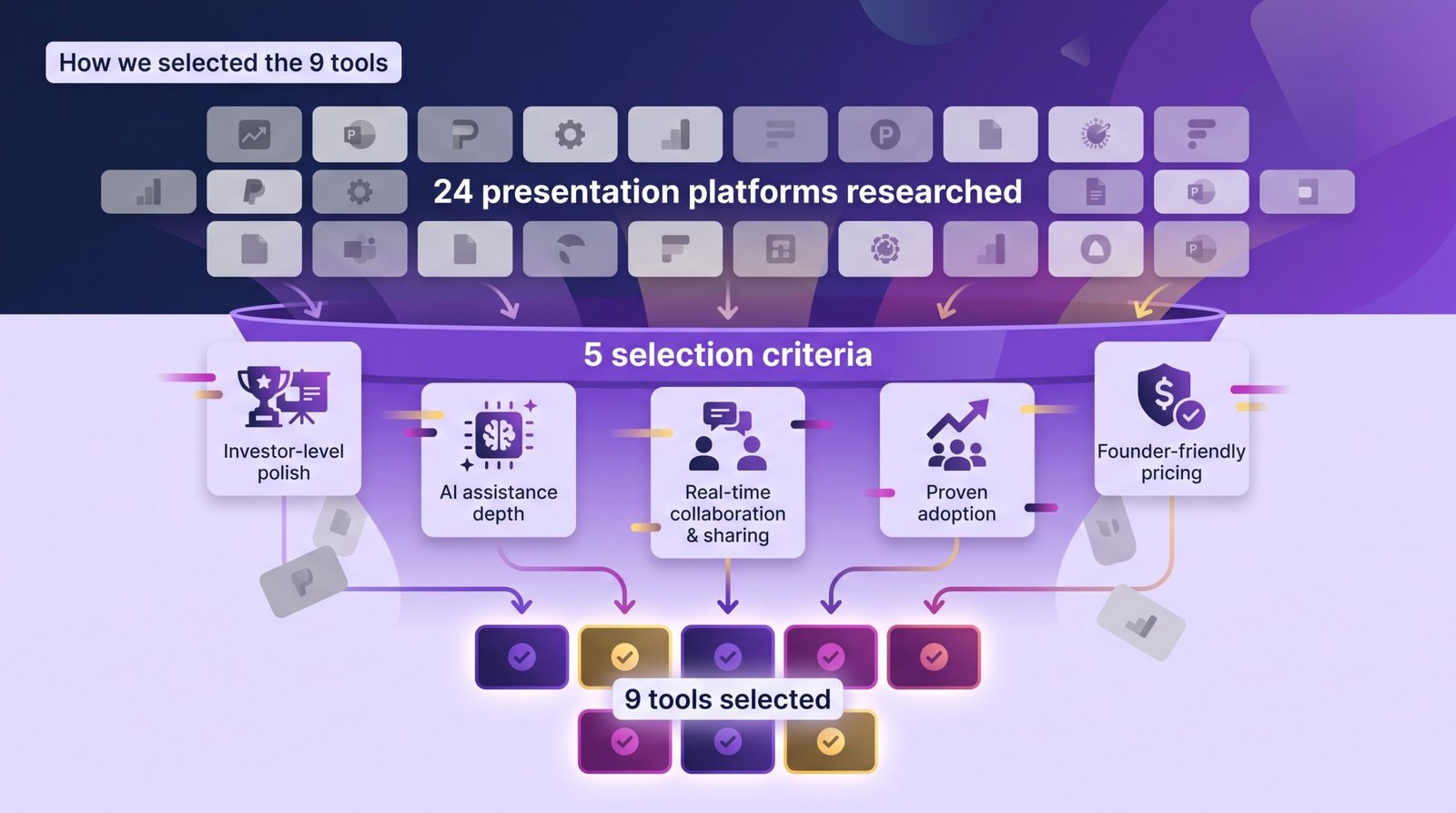
Only nine tools cleared the bar. Flashy newcomers fell short because templates were thin or exports broke formatting. Others priced themselves for Fortune 500 budgets, not seed-stage startups.
The result is a list you can trust to save time, shorten the learning curve, and keep your deck sharp when it matters most.
1. Plus AI: your existing slides, supercharged by AI
Most pitch-deck tools push you into a new workspace. Plus AI does the opposite: it inserts an AI co-author directly into Google Slides and PowerPoint, so you can write, generate, and polish without leaving the apps investors expect.
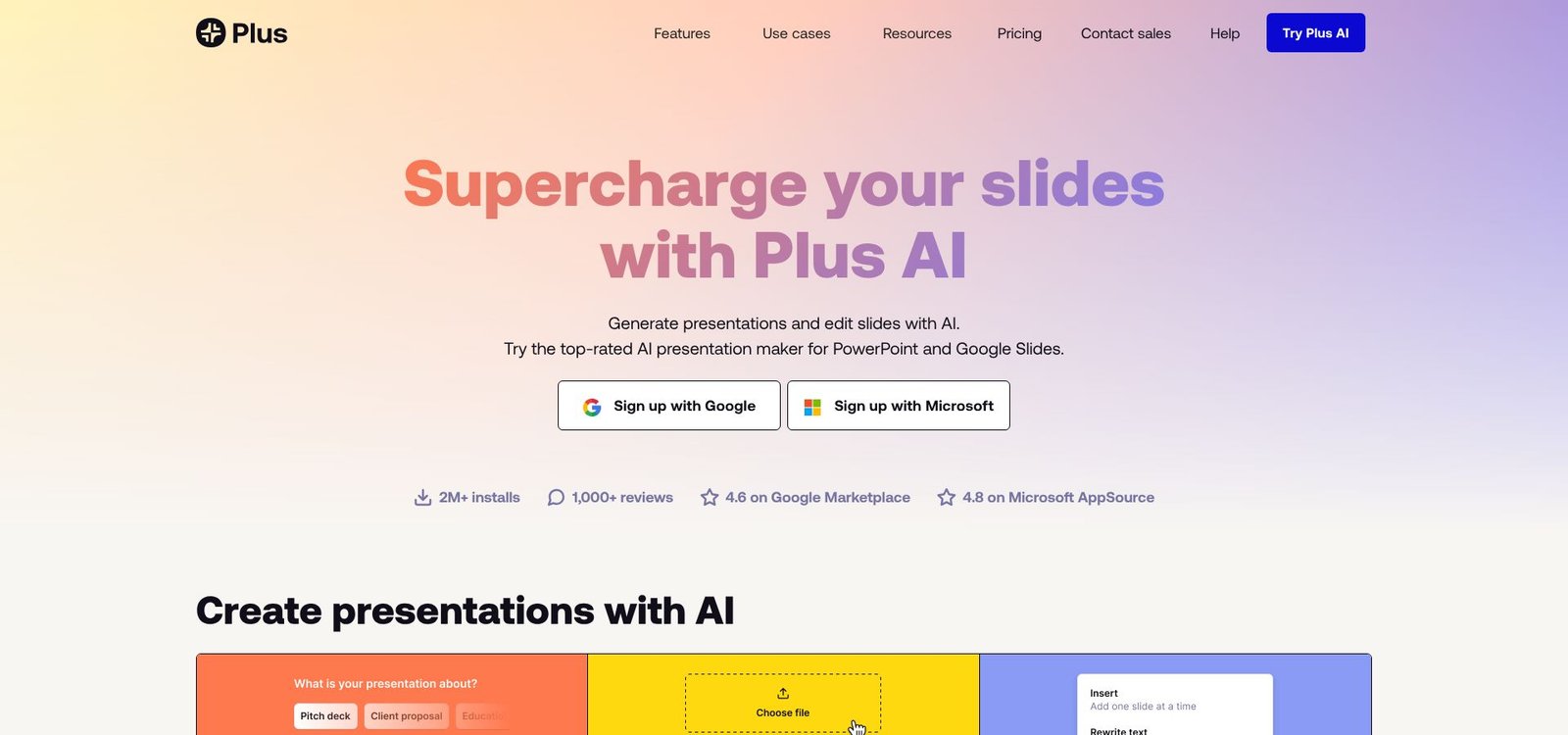
Plus AI in Google Slides and PowerPoint screenshot
That in-place workflow saves time. Type a prompt such as “Seed-stage fintech pitch, 12 slides,” and Plus AI drafts a full deck in under one minute. More important, it can rewrite or reformat the slides you already use, fixing cluttered layouts or dull copy instead of forcing a rebuild.
Founders value the brand-sync feature. Upload your template once, and every generated slide follows your fonts, colors, and logo. No last-minute hunt for rogue hex codes when the PDF is due.
Proof of traction is strong: the company reports more than 1 million installs and a 4.6-star rating on Google Marketplace. A generous free tier covers a few decks, and the Pro plan costs about ten dollars per month, a small price for consistently polished slides.
Choose Plus AI if your team already works in Slides or PowerPoint and you want AI speed without migrating files. It is less suitable for experimental, non-traditional formats; Plus AI stays inside the visual guardrails investors know and trust.
2. Gamma: AI drafts a full deck before your coffee cools
Gamma feels like someone grafted ChatGPT onto a design studio. You type a sentence, press Generate, and seconds later an entire deck appears: title slide, problem statement, market size, even stock imagery already in place.
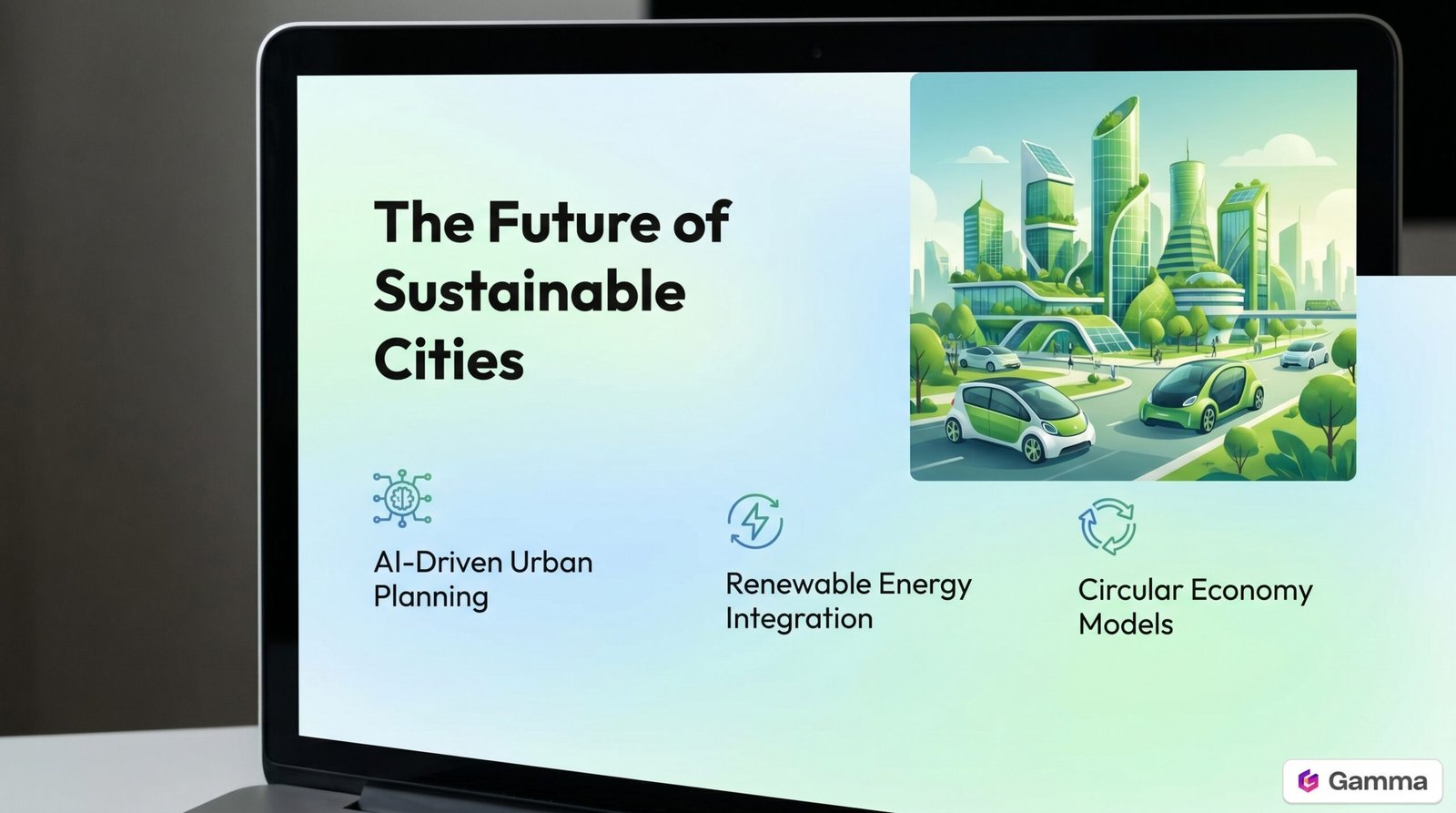
Gamma interactive AI-generated deck screenshot
Speed is its killer feature. Early-stage founders report that Gamma beats writer’s block by handing them a “good-enough” first draft in under five minutes. You then tweak copy or swap visuals instead of staring at a blank slide.
The decks live on the web and behave more like interactive docs than static PDFs. Investors can scroll, click embedded demos, and leave comments, and you track every view. A quick export delivers a PDF or PowerPoint when traditional formatting is required, though some interactivity flattens in transit.
Traction looks strong. By late 2025 Gamma reached a 100 million-dollar ARR run rate and a 2.1 billion-dollar valuation, only two years after launch (TechCrunch).
Choose Gamma when a rapid first draft and an interactive, scrollable story matter. Plan one design pass afterward; the AI visuals lean generic, and you still confirm every data point.
3. Pitch: collaboration first, designer finish
Pitch wears two hats: slick design defaults and Google-Docs-style teamwork.
Open a deck and you see polish at once. Fonts align, color palettes feel intentional, and every layout signals modern startup rather than corporate clip art. Value Add VC calls it “the best pitch deck tool for startups in 2026 for VC-facing investor decks.”
The bigger benefit is rapid iteration. Multiple founders type side by side, leave comments, and record quick video walk-throughs, with no version chaos or email threads. Share the link with a VC, and built-in analytics show exactly which slides held attention.
AI supports rather than drives. A content assistant trims paragraphs, tightens bullets, or drafts an outline while you steer the story. Think of it as a design coach and collaboration hub combined.
The free tier is generous, offering unlimited decks and editors with a Pitch watermark on exports. Paid plans cost about 12 dollars per user each month, lifting branding and adding workspace controls; most teams upgrade only when investor eyes are on the deck.
Choose Pitch if you want real-time feedback and slides that look like a designer prepared each page, even when your team lacks a designer.
4. Canva: design superpowers for the rest of us
Canva turns non-designers into slide stylists.
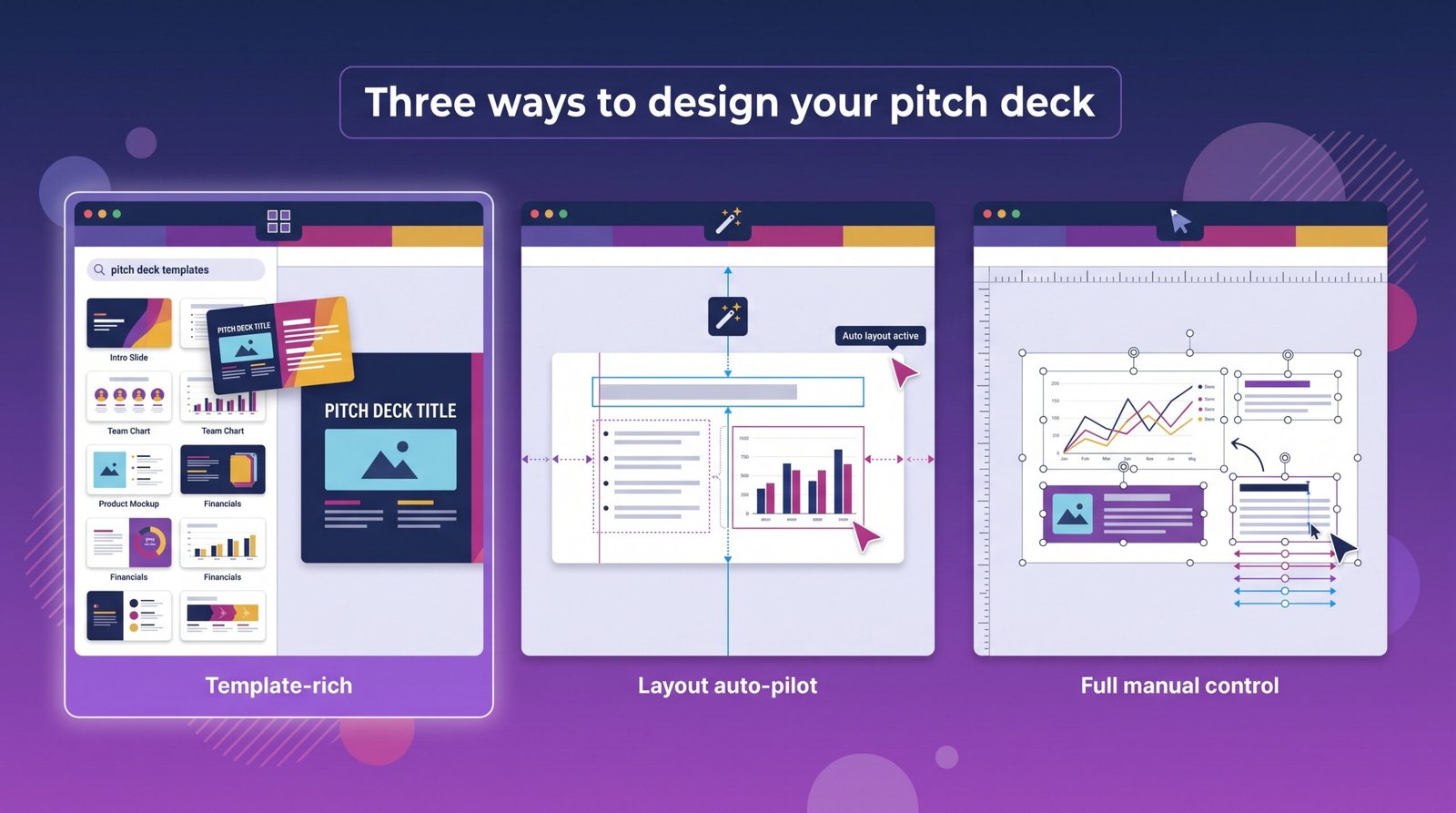
Search “pitch deck” and you will find hundreds of eye-catching templates, from minimalist fintech packs to bold consumer pitch kits. Swap demo text for your own, drag in screenshots, and the layout aligns automatically. No fiddly spacing, no rogue font sizes.
Adoption numbers impress: Canva serves about 265 million monthly active users and generates roughly four billion dollars in annual revenue. That crowd means two advantages. First, the template library grows weekly. Second, investors have seen many Canva decks, so your file opens cleanly on any device.
Canva’s AI layer, Magic Design and Magic Write, removes the blank-page moment. Drop a rough outline or a chunk of your executive summary, and the tool drafts a sequence of slides with suggested copy, imagery, and color palettes. It is less narrative-savvy than Gamma, yet it nails structure so you can refine details instead of starting cold.
Collaboration is straightforward. Share a link, and co-founders can comment or edit live. When the deck is ready, export a crisp PDF or PPTX, or send a view-only link that loads without a login.
Pricing stays founder-friendly. The free tier covers most early needs. Upgrading to Pro, at about 14 dollars a month, unlocks a brand kit so your logo, colors, and fonts snap into every slide, plus premium photos and one-click background removal.
Choose Canva when you need professional visuals quickly, your budget is tight, and you want a gentle learning curve. Just be sure to craft the investor narrative yourself; Canva handles beauty, not storytelling logic.
5. Beautiful.ai: layout auto-pilot for design-shy founders
If Canva gives you a gorgeous template, Beautiful.ai goes further by keeping every element aligned as you edit. Add a bullet, drop a chart, or paste an image, and the layout adjusts so spacing, alignment, and font sizing stay consistent.
Reviewers note it is “almost impossible to create an ugly slide” in Beautiful.ai because the software fixes common design errors the moment they appear.
For pitch decks, that means no last-minute search for nudged text boxes before sending the PDF. You stay focused on storytelling while the engine enforces design rules in the background.
Beautiful.ai now layers generative AI on top of its layout smarts. Describe a slide, and DesignerBot drafts persuasive copy, inserts royalty-free visuals, and selects a color scheme that matches your deck. It produces a clean, corporate look without manual margin tweaks.
Pricing starts at about 12 dollars per user each month after a short free trial. There is no forever-free plan, but many founders treat it like a rented designer, paying during fundraising and canceling once the deck is locked.
Choose Beautiful.ai when perfect alignment matters more than experimentation and you want software to guardrail design while you refine the pitch.
6. Presentations.ai: ChatGPT for presentations, but watch the export wall
Presentations.ai calls itself “ChatGPT for presentations,” an AI tool that drafts complete slide decks from prompts, documents, or URLs. Type “8-slide seed pitch for an e-bike startup,” and seconds later you are scrolling through a polished deck with AI visuals and placeholder market stats.
That speed sparks momentum. Instead of facing a blank PowerPoint, you receive a coherent storyline—Problem, Solution, Market, Traction, Team—ready for refinement. Founders use it to kick-start ideation meetings and align co-founders on a first draft.
File flexibility is the compromise. A 2026 Deckary review notes that Presentations.ai locks PowerPoint export behind its Pro plan at 198 dollars per year. Free users can create presentations but cannot export the format most businesses expect, keeping projects inside the web editor unless they upgrade.
Pricing demands commitment. The generous free tier covers creation, while the Pro plan costs 198 dollars annually (about 16.50 dollars per month) with no monthly billing. Paid tiers export to PDF and PPTX, although animations flatten in static files.
Choose Presentations.ai for a quick narrative scaffold or to visualize ideas before investing design hours. Budget for the upgrade if investors request a traditional PowerPoint file.
7. Google Slides with Gemini: the free, comment-friendly workhorse
Nearly every startup already uses Google Workspace, which means you own a capable deck builder before touching your credit card. Slides wins on friction-free sharing: one link lets co-founders, mentors, and investors mark up ideas in real time.
Gemini gives Slides the creative boost it lacked. Ask the sidebar to “outline a 10-slide seed pitch for a B2B fintech,” and it drafts titles, bullet points, and suggests on-brand images from Google’s library. Highlight dense text, and Gemini condenses or rewrites on command. It works more like Grammarly plus design hints than a full deck generator, yet it saves polish time inside a familiar interface.
Collaboration remains the star. Comment threads, version history, and granular sharing permissions let you iterate safely—no duplicate files or “final-FINAL” naming humor. Many VCs prefer Slides for that reason; they can leave feedback inline instead of emailing edits.
Cost seals the deal. Slides is free with any Gmail account. Gemini features unlock as an add-on for most paid Workspace tiers, at roughly 20 dollars per user each month. If you already pay for Gmail custom domains, the AI boost feels like a bonus.
Choose Google Slides when budget is tight, teamwork is nonstop, and you value universal compatibility over advanced design extras. Pair it with a quality template or an add-on like Plus AI, and you can reach the same investor-ready polish as pricier tools.
8. PowerPoint and Keynote: maximum control when design truly matters
Old school? Yes. Still unmatched when your team requires pixel-perfect slides or complex financial charts.
PowerPoint remains the industry standard. Every investor can open a .pptx or PDF export without font issues. In 2026 subscribers receive Copilot as part of Microsoft 365, allowing users to transform a Word brief into draft slides, rewrite dense text, or insert fresh icons inside a familiar interface. Copilot costs extra for most business plans, yet teams that live in Excel and Outlook often recoup the fee through saved hours.
Keynote, in contrast, is the favorite of design-led founders on Mac. Its cinematic transitions and smooth animations make product demos feel like a mini Apple launch. Although the app lacks native generative AI, teams can rely on macOS Shortcuts or import a Tome export into Keynote themes for final polish.
Both tools share two clear advantages:
- Unlimited layout freedom. Place elements precisely, build layered mock-ups, or import high-fidelity Figma frames without compromise.
- Data integration. Embed live spreadsheets, advanced charts, or third-party add-ins such as think-cell for waterfall and MECE-clean strategy graphs.
The drawback is a lower quality floor than template-guided tools. A misaligned PowerPoint signals amateur status faster than a misaligned Canva deck because nothing enforces consistency.
Pricing is straightforward. PowerPoint is included with Microsoft 365 business plans that start around six dollars per user each month, and Copilot adds about 30 dollars. Keynote ships free on every Mac and iPad.
Choose these classics when your team brings design skill, requires intricate visuals, or wants total control over every pixel. Select faster AI-driven builders if speed matters more than perfection.
9. Slidebean: pitch formula with optional human backup
Slidebean is equal parts software and consulting playbook. Start a project and the tool walks you through the classic investor flow—Problem, Solution, Market, Business model, Team, Financials—complete with inline tips on what belongs on each slide. For founders building a first pitch, that built-in structure is critical.
The editor is lighter than PowerPoint but more flexible than Beautiful.ai. Drop content into predefined boxes, and Slidebean handles typography, spacing, and color harmony. An AI assistant tightens wording or re-formats visuals, yet the standout feature is guidance: templates come from analyzing thousands of successful decks.
Need extra certainty? Upgrade to Slidebean’s premium tier, and a human strategist reviews or fully redesigns your deck. The software plan starts at 96 dollars per year, while expert services cost more but remain cheaper than hiring a freelance designer and pitch coach.
The trade-off is rigidity. If you want a unique visual identity, Slidebean’s uniform layouts may feel limiting. Because it is web-based, heavy media or weak Wi-Fi can slow edits.
Choose Slidebean when you want a proven pitch formula and the safety net of on-call experts. It is the closest option on this list to pitch-deck creation insurance.
At-a-glance comparison
You just met nine different tools, each with a personality. This table sets their core strengths side by side so you can spot the one that fits your immediate need for speed, pixel control, or seamless collaboration.
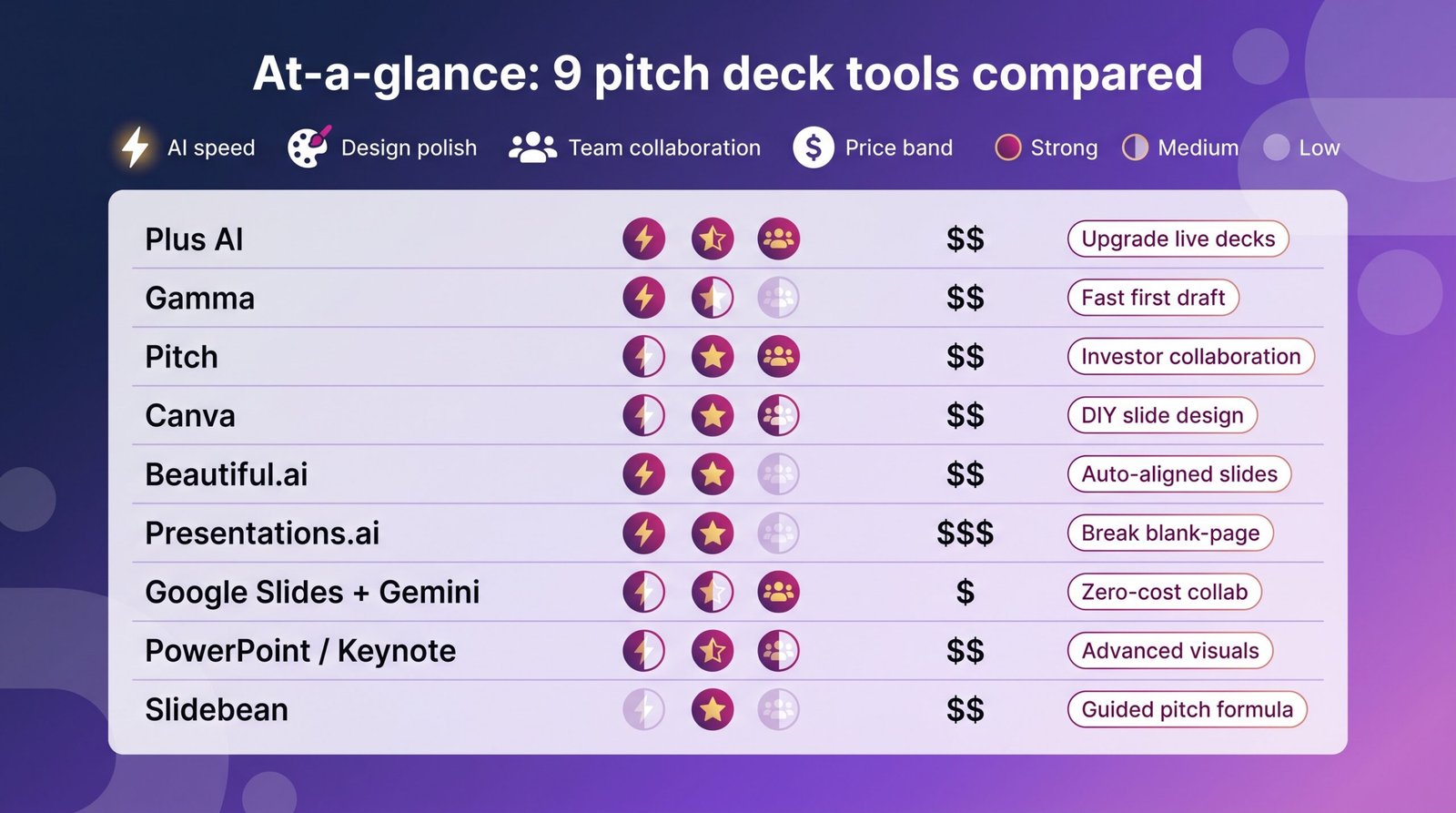
| Tool | Fast AI generation | Default design polish | Real-time teamwork | Price to unlock pro features | Best use case |
| Plus AI | Full-deck prompt → slides inside Slides or PowerPoint | Matches your existing template | Uses Google or Microsoft collaboration | 10 dollars per user per month | Upgrade a live Slides or PowerPoint deck with AI |
| Gamma | Fast full-deck draft | Modern but generic visuals | Basic comments | 9 dollars per month | First draft in minutes, interactive web share |
| Pitch | Outline and rewrite assist | Startup-style templates | Multi-editor with analytics | 12 dollars per user per month | Team iterating with investors in the doc |
| Canva | Magic Design drafts slides | Large template library | Live edit with light comments | 14 dollars per month | DIY visuals on a tight budget |
| Beautiful.ai | Layout auto-adjust plus GPT copy | Clean, corporate feel | Solo focus (team tier extra) | 12 dollars per month | Foolproof alignment for non-designers |
| Presentations.ai | Full narrative with images | Clean, business layouts | Link share, no live comments | 198 dollars per year | Break the blank-page block, then export |
| Google Slides + Gemini | Outline and rewrite help | Depends on your template | Best-in-class comments | Free; AI add-on 20 dollars per user per month | Zero-cost collaboration with advisors |
| PowerPoint or Keynote | Copilot (PPT) | Unlimited manual control | Co-authoring (PPT), iCloud (Key) | Microsoft 365 from 6 dollars plus Copilot at 30 dollars | Advanced visuals and dense data charts |
| Slidebean | Minor AI assist | Investor-focused layouts | Sequential edits | 96 dollars per year; expert services extra | Guided pitch formula with optional review |
How to choose the right tool for your next deck
Start with your immediate bottleneck. Are you frozen at slide one, wrestling messy layouts, or juggling revisions across email threads? Match the pain to the platform:
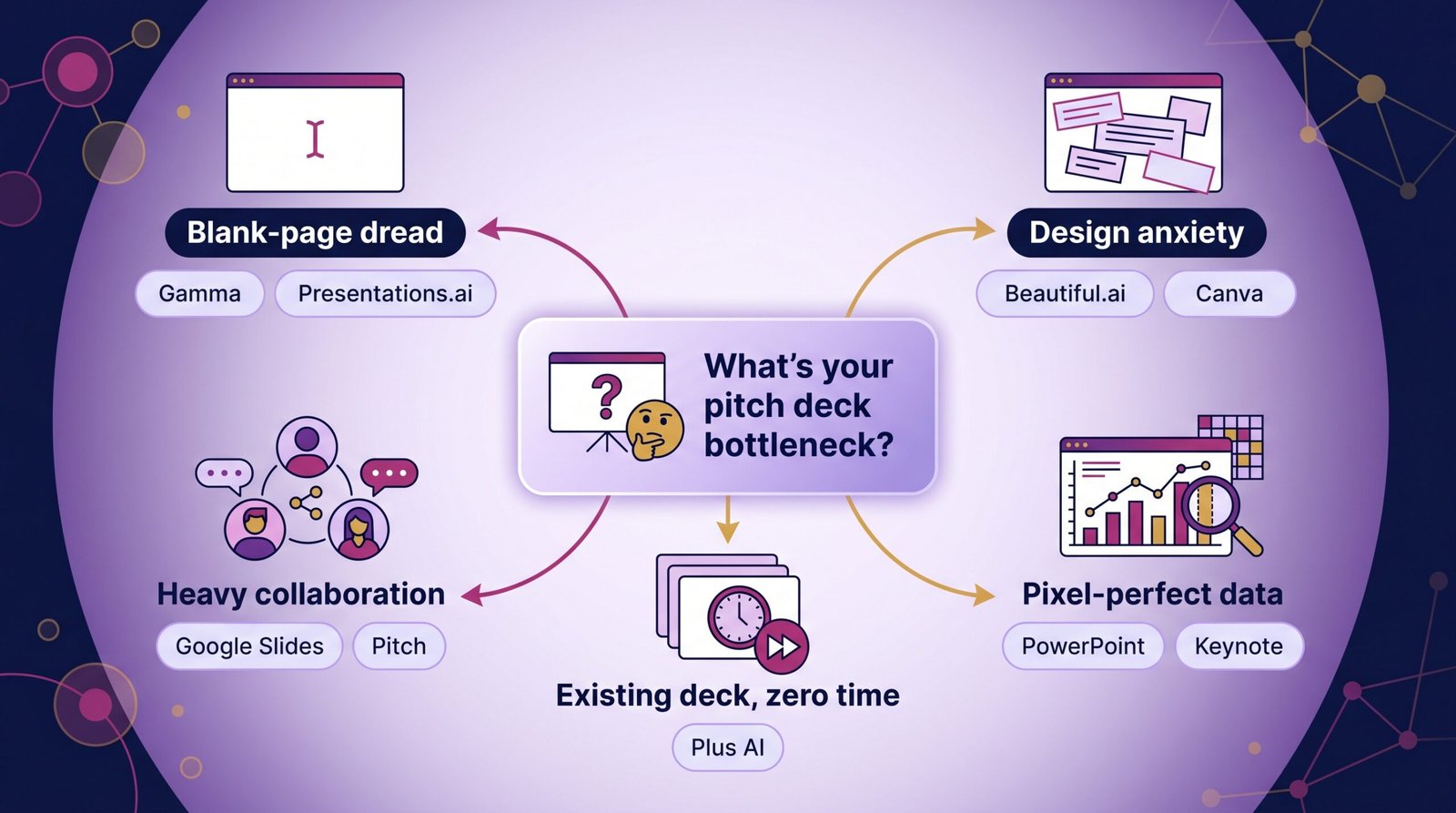
- Blank-page dread. When the cursor blinks and nothing appears, open Gamma or Presentations.ai. They deliver a full draft within minutes, giving you clay to sculpt instead of an empty slide.
- Design anxiety. If you hate nudging text boxes, Beautiful.ai auto-aligns everything, while Canva’s vast templates let you swap colors rather than learn grids.
- Heavy collaboration. Need co-founders and advisors editing tonight? Google Slides or Pitch excel with real-time comments and version history.
- Pixel-perfect data. Presenting dense financials or a live demo? Choose PowerPoint or Keynote for total control and advanced chart add-ins.
- Existing deck, zero time. Already have slides that feel flat? Plus AI plugs into Slides or PowerPoint, rewrites copy, and restyles layouts without rebuilding.
Budget also matters. Canva, Slides, Gamma, and Presentations.ai all offer solid free tiers. Paid plans remove watermarks, unlock brand kits, or raise AI limits and usually sit between 8 and 15 dollars a month. Slidebean costs more but bundles human critique, often cheaper than hiring a designer.
Remember, no software fixes a weak story. Pick the tool that removes your biggest block, then spend the saved hours sharpening the narrative investors care about.
Frequently asked questions
Do investors care which tool I use?
Not directly. They focus on clarity, brevity, and accurate numbers. Most decks arrive as PDFs, so the source platform stays hidden. What is visible is sloppy design or unverifiable stats, both red flags you can avoid with any tool listed above.
Can AI slide generators replace a designer?
For an early seed raise, yes, provided you stay disciplined about editing. Plus AI and Beautiful.ai deliver roughly 80 percent of a designer’s polish within minutes. The final 20 percent comes from taste: swapping stock photos, aligning complex charts, and refining color contrast. Plan one last human review if the round size warrants it.
What format works best for investors?
PDF prevails in most situations because it preserves fonts, opens on phones, and cannot be edited by accident. When you share a live link from Pitch, Gamma, or Presentations.ai, also attach a PDF so partners can forward it without login steps.
How can I keep sensitive numbers secure?
Create the deck, export a PDF, and host it with a viewer such as DocSend or Peony’s deck room. This setup adds view analytics, optional passwords, and link expiration, giving you more control than the presentation platforms alone.
Is the 10-slide rule absolute?
Treat it as guidance, not law. Use twelve slides if your story requires them, but make sure every additional page earns its place. AI tools tend toward verbosity, so trim ruthlessly until each slide advances the narrative.
Wrap-up and next steps
The 2026 pitch-deck toolbox is remarkably capable. AI can draft your storyline, auto-format every pixel, and even flag the slides investors study most. Your task is to match each tool to the moment.
Start small. Choose one platform, give it a 20-minute spin, and compare the output with your current deck. If it saves real hours or sharpens the narrative, keep it; otherwise, move to the next option.
Lock your process: brainstorm in an AI generator, refine in a collaboration hub, finish in a design auto-pilot, and export a PDF you would proudly send to your ideal investor. Repeat the loop until every slide earns its place.
We want to hear how these tools shape your raise. Share your favorite tips or cautionary tales in the comments so the next founder can skip the same potholes. Now open a tab, launch a deck maker, and turn that idea into slides that win meetings.
(DISCLAIMER: The information in this article does not necessarily reflect the views of The Global Hues. We make no representation or warranty of any kind, express or implied, regarding the accuracy, adequacy, validity, reliability, availability or completeness of any information in this article.)
Must Read:
- Your Custom Home – Careful Considerations
- Innovative Interior Design Trends To Refresh Your Home
- How to Choose Living Room Furniture That Stands Up to Active Lifestyles